
Low-Code Platforms for Business: Features, Benefits, and Top Solutions

Developing services and applications is no longer a complex, specialized task reserved for IT professionals with deep technical knowledge. The rise of low-code approaches and the widespread adoption of general-purpose solutions based on them have made software development much simpler, faster, and more accessible for non-tech business users. In this article, we'll explain what low-code tools are, how they work, and what benefits they bring to your business. You'll also explore their core features, primary use cases, and popular platforms available on the market.
What Is a Low-Code Platform and How It Works
A low-code platform is a modern software development environment. It helps speed up and simplify the development process by using graphical interfaces, drag-and-drop components, data connectors, and other useful features.
These platforms emerged as the low-code approach became more widely adopted in software development, which focuses on automating and optimizing key stages. This methodology allows developers to write less code manually by using visual designers and ready-made templates for designing, testing, and deploying applications.
While no-code tools are aimed at purely non-tech professionals (business analysts, managers), low-code platforms require a basic understanding of programming logic and databases. They serve as a bridge between business and IT: users can create the foundation of applications, while professional developers can scale them faster by automating routine tasks and implementing complex custom code.
Creating an application using a low-code platform involves several sequential steps:
- Prepare the data for your new app. Use spreadsheets, databases, or other external sources (CRM, ERP, cloud storage, etc.).
- Develop user interfaces (UI) using visual editors and pre-built blocks to create dashboards, forms, and other UI elements.
- Configure your application logic by defining rules using visual workflow designers.
- Connect your applications with external systems through integrations via data connectors or APIs.
- Add custom functions for advanced use cases by writing code manually or using AI.
- Debug and launch your finished application on web and mobile platforms, customer portals, or internal dashboards. In the enterprise segment, low-code platforms easily integrate with corporate DevOps pipelines for version control and secure deployment.
Defining Business Goals and Use Cases

Modern low-code platforms allow you to create applications for various business scenarios. To choose the right solution, it's important to define your development goals, key requirements, and expected results in advance. This will help you understand which platform features and capabilities your company truly needs.
Digitalization and automation of business processes
Low-code solutions are often used in business automation software development to optimize workflows. These include applications that manage records, process documents and requests, configure approval processes, create request forms, and coordinate other operations.
By using low-code services, companies can quickly add new processes to their software or change their logic without manually rewriting code. Such platforms are most in demand in HR, legal, finance, and other areas where effective compliance management is required.
Data collection and analysis
Low-code platforms enable faster and more efficient creation of data and analytics solutions. They are used to create operational dashboards, portals for KPI reporting, survey and form data pipelines, environment/IoT monitoring dashboards, quality and compliance trackers, and other tools.
The availability of essential tools in low-code services (data models, connectors, built-in analytics, visualization) helps optimize application development. This is especially important for solutions developed for manufacturing, logistics, healthcare, and field operations.
Interaction with clients and partners
Low-code platforms help companies create digital solutions for effective interaction with customers and partners. These services are used to develop customer self-service portals, user onboarding processes, appointment booking services, order and request systems, and systems for interacting with partners and suppliers.
Managing internal business operations
Companies can dramatically improve their operational efficiency through low-code development of programs and applications for inventory management, time tracking and shift scheduling, field service, and other business operations. These applications are often used to develop internal knowledge bases, asset tracking systems, and incident reporting systems.
Prototyping, MVP, and innovation implementation
Low-code solutions support high-speed software development and deployment. This helps speed up prototype creation and testing, and the launch of minimum viable products (MVPs). This approach is optimal for introducing new features into existing software, implementing pilot projects, validating startup concepts, or conducting internal hackathons.
Key Benefits
Low-code platforms for business solve specific work tasks and provide a number of additional benefits. The key ones include:
- Rapid software development and launch without the need to write or rewrite massive amounts of code manually, master complex tools, or break the process into lengthy cycles. Development timelines are reduced from weeks to days.
- Graphical interfaces and pre-built application components and functions increase the productivity of low-code development. With these tools, specialists spend less time on repetitive tasks and product refinement.
- Reducing software release times and man-hours spent on them reduces business costs, ensuring the high-cost efficiency of low-code development.
- The low-code approach bridges the gap between tech and non-tech professionals, allowing business users to actively participate in software development. This strengthens team alignment, provides rapid feedback, and improves results.
- The use of unified tools and low-code platform technologies standardizes development processes, making it faster and easier to maintain, update, and scale applications.
Core Features and Technical Capabilities
The functionality of low-code platforms is determined by the set of available tools for developing and customizing applications. Low-code development tools enable the creation, extension, and adaptation of software, simplifying the development process for both technical specialists and non-tech users. They cover various aspects of application creation and management, ranging from interface design to logic configuration, data management, and security.
Visual development
At the core of low-code systems are often drag-and-drop UI editors used to create interface layouts, forms, and dashboards. Users are also offered ready-made blocks, including tables, charts, input fields, modal windows, and navigation elements.
Pre-installed components and templates are typically responsive and suitable for developing various types of applications, as well as easily customizable. Users can create new elements from scratch or download them from external sources.
Automation of workflows and business logic
Low-code platforms allow you to create automated workflows and application business logic through visual designers. Their capabilities in this area include process modeling, conditional rules and branching, event triggers, scheduled actions, task routing, and more.
Data management and analytics
Enterprise low-code platforms enable the creation of applications with data processing and management capabilities. These include visual data modeling, data validation and access control rules, CRUD operations, and integration with data sources and destinations (databases, SaaS, APIs/webhooks).
In addition to data management tools, low-code services often include built-in tools for data analysis and actionable insights from data. These include visual dashboards, data visualization widgets, reporting options, and the ability to export data to third-party business intelligence (BI) systems.
Support for extensions and custom code
Low-code platforms not only feature drag-and-drop interfaces and ready-made templates and tools but also support custom code and additional extensions. Common features include built-in developer tools (code editor, IDE), the ability to implement new blocks and functions from scratch or refine existing ones, reusable libraries, SDKs, plugins, add-ons, and APIs.
AI-assisted development
Modern low-code solutions are actively integrating AI assistants and generative models. With these, users can create interfaces, generate SQL queries, write custom functions, or configure automation logic using simple natural language prompts, significantly lowering the barrier to entry for non-tech professionals.
Security and access control
Applications developed on low-code platforms must comply with modern security and data protection standards for use in regulated industries. This is achieved through features such as role-based access control (RBAC), audit logs, single sign-on (SSO), version and release management, object- and field-level permissions, and more.
Popular Low-Code Platforms
The modern market offers various low-code platforms, each with a different set of tools, capabilities, and target use cases. Below are some popular low-code software examples for 2026, which will help you evaluate the capabilities of modern solutions and choose the right platform for your specific needs.
OutSystems
The OutSystems low-code platform supports both the rapid creation of simple applications through a visual interface and full-stack business software development with responsive front-end design, back-end logic, process and data management. It offers cross-platform development (web, mobile, cloud), built-in AI tools, integration with external systems via connectors and APIs, and enterprise-grade security and compliance tools.
In 2026, OutSystems introduced Agent Workbench, an end-to-end low-code platform for creating and deploying enterprise AI agents with built-in data management and governance capabilities. The solution is focused on developing AI scenarios that can be integrated into existing business processes and applications.
OutSystems is designed for creating a wide range of software products, including automated workflows, client portals, sales and analytics tools, and CRM/ERP/HR systems. It is available to professional developers and IT teams, as well as business analysts and other non-tech professionals.
Mendix
Mendix provides low-code tools for developing internal business applications, customer and partner portals, mobile apps, and PWAs. It's suitable for automating a wide range of workflows, integrating with CRM, ERP, databases, APIs, data management and modeling, and cloud-native deployment.
Mendix also provides tools for simplified development and orchestration of complex AI agents. This makes the platform suitable for scenarios requiring AI-powered automation.
Mendix can be used by developers, IT teams, and business users ("citizen developers"). The former get tools for advanced application development and customization, while the latter can create and modify software using visual tools without extensive programming knowledge.
Microsoft Power Apps
The Microsoft Power Apps platform enables low-code development of business applications for a range of tasks and workflow automation through integration with Power Automate. It easily connects to Microsoft 365 services, databases, and third-party systems.
The platform enables users to create web and mobile apps and provides artificial intelligence tools through AI Builder and Copilot. Specifically, users can embed AI agents (Copilot Studio) directly into their apps to automate tasks and interact with users.
Microsoft Power Apps is used by professional developers, IT teams, and a wide range of business users. These include analysts, project managers, entrepreneurs, startup founders, and other professionals.
ApiX-Drive
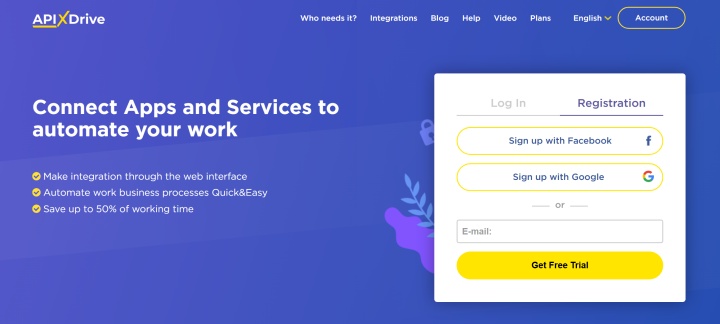
The no-code/low-code integration platform ApiX-Drive allows implementing automation without tech skills. By eliminating the need to build integrations from scratch using APIs, it significantly simplifies the setup of business process automation.
The connector automatically transfers data between different systems. It also supports conditional logic and AI, automatic event notifications, and other actions.
ApiX-Drive is designed for a wide range of users, including marketing, sales, and support teams, small and medium businesses (SMBs), e-commerce companies, digital agencies, and startups. The platform is also used by professional developers and IT teams.
Conclusion
The proliferation of low-code application development platforms has dramatically increased the accessibility of software development. Thanks to them, complex tools and technologies have become accessible not only to experienced IT professionals but also to many non-tech business users.
Modern low-code platforms offer a wide range of functionality, allowing them to be used to solve various business problems. They are suitable for automating workflows and creating internal applications, as well as for developing complex business systems with AI support, integrations, and enterprise-grade security.
Read also on our blog:
- Use Case: Connecting Google Drive to Task Manager
- How to Connect Google Drive to Google Sheets for Automatic File Tracking
- Google Drive: 5 Useful Integrations to Boost Productivity
- TikTok and Google Calendar Integration: Automatic Lead Transfer
- Google Drive to Gmail: How to Send File Attachments Automatically