
Top 5 Cloud Storage Providers for Creators

Designers, illustrators, video editors, and other creative professionals rely on a range of software tools, including cloud services for storing and sharing work files. We present five cloud storage services for creative professionals and examine their key features and pricing structures.
Dropbox
Source: dropbox.com
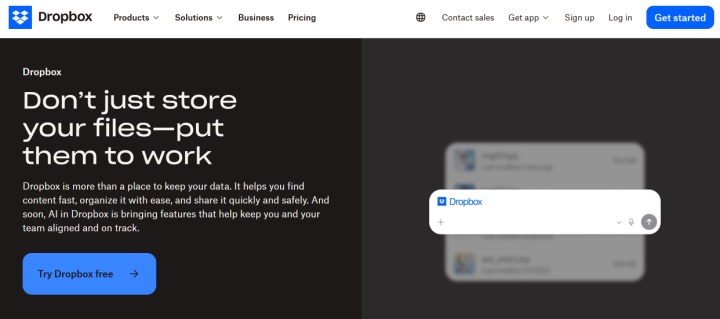
Founded in 2007, Dropbox is a widely used cloud storage service for digital creators. It combines file syncing and sharing with collaboration, backup, and media review tools.
Key features:
- Dropbox Advanced starts at 15 TB of storage per team and supports transfers of up to 100 GB through Dropbox Transfer. These figures are a compelling argument in favor of this cloud storage for creative assets.
- Files stored in Dropbox are automatically synced across connected devices. You can access them via the web interface, desktop app (Windows, Linux, macOS), and mobile app (Android, iOS).
- Dropbox Backup can automatically back up selected files and folders from computers and external drives and restore them when needed.
- Dropbox Paper lets you collaboratively create, view, comment, and edit various types of documents. Text, images, videos, tables, code, animated GIFs, emojis, PDFs, and links are supported.
- Dropbox supports video review and collaboration through Dropbox Replay, which integrates with video editing applications such as Adobe Premiere Pro and DaVinci Resolve.
- Dropbox Replay lets teams review video, audio, and image projects, leave comments, and share feedback through links.
- Built-in automations and integrations can streamline file organization and other content-related workflows.
- Dropbox has an impressive library of native integrations, including popular programs for design and creativity (Canva, Prezi, Replay, AutoCAD), productivity (Google Calendar, Todoist, MindMeister, Wrike), communications (Zoom, Gmail, Zoho Mail, WhatsApp), and a number of other areas.

- Automate the work of an online store or landing
- Empower through integration
- Don't spend money on programmers and integrators
- Save time by automating routine tasks
Dropbox offers five pricing plans:
- Basic (free): 2 GB of personal storage.
- Plus ($11.99 per month): 1 user, 2 TB of personal storage, 30 days of file recovery, file transfer up to 50 GB, syncing, PDF editing, etc.
- Standard ($18 per user per month): from 1 user, from 3 TB per team, 180 days of file recovery and version history, file transfer up to 100 GB, all Plus features plus team sharing, administrative functions, password protection, etc.
- Advanced ($30 per user per month): minimum 3 users, storage starting at 15 TB per team, one year of file recovery and version history, transfers up to 100 GB, and advanced security and administrative controls, including SSO.
- Enterprise (price upon request): maximum functionality for large companies.
Google Drive
Source: workspace.google.com
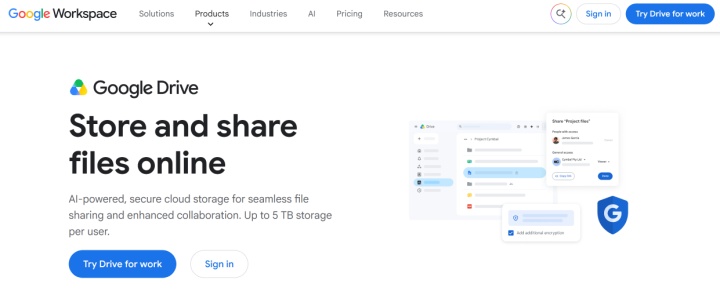
Google Drive is widely recognized as one of the best online storage solutions for photographers, designers, video creators, and other creative professionals. Launched in 2012, it is used by a vast global audience through Google accounts and Google Workspace.
Key features:
- Google Drive supports images, videos, audio, design files, documents, and other formats. A free Google Account includes 15 GB of storage shared across Drive, Gmail, and Photos, while paid Google One plans currently offer up to 30 TB.
- Files can be shared via link or email, with permissions set for viewing, commenting, or editing. You can restrict access, share files with specific people or by link, and, on eligible accounts, set access expiration dates or limit downloading, copying, and printing.
- One of Google Drive's key advantages is its support for collaboration. Users can work on shared files, view version history, and revert to earlier versions.
- Google Drive is integrated with other Google Workspace services, including Google Docs, Google Sheets, Google Slides, and Gmail.
- On eligible Google Workspace or Google AI plans, Gemini in Drive can summarize files and folders, extract key points, and answer questions about their contents.
- Google Drive offers search tools that help users find files by name, file type, and other available criteria. Users can also organize files into folders and assign colors to folders.
- Files created and edited in Google Drive and other Google Workspace apps are automatically saved to the cloud storage and synced across all connected devices. You can work with them offline. Changes you make will be added to the cloud when you reconnect.
- Google Drive encrypts files and uses security checks to help detect malware and phishing threats. Its integrations with external systems allow you to automate uploads, backups, content pipelines, and other operations.
Google Drive cloud storage is available to all Google users. 15 GB of free storage is provided across all apps in the ecosystem. Google One plans offer additional storage options:
- Basic ($1.99 per month): 100 GB of cloud storage, shareable with family members where available.
- Standard ($2.99 per month): 200 GB of cloud storage, shareable with family members where available.
- Google AI Plus ($9.99 per month): 2 TB of cloud storage, expanded Gemini access, and additional AI features.
- Google AI Pro ($19.99 per month): 5 TB cloud storage, four times the standard Gemini access, all Google AI Plus features + additional options across Google services.
- Google AI Ultra 5x ($99.99 per month): 20 TB of cloud storage, five times the standard Gemini access, and advanced AI features.
- Google AI Ultra 20x ($199.99 per month): 30 TB of cloud storage, 20x access to Gemini, and the most advanced AI features.
Using our integration service, you can configure Google Drive integrations with other online tools. Depending on the workflow, files and folders can be uploaded, copied, moved, renamed, or transferred automatically.
pCloud
Source: pcloud.com
The pCloud platform is a popular cloud storage solution for content creators. It's frequently used by photographers, video creators, designers, musicians, and other creative professionals. It combines cloud storage, media playback, and file sharing, allowing users to access supported audio and video files without downloading them first.
Key features:
- pCloud is well suited to storing and previewing media files, allowing users to play supported video and audio formats directly in the interface without downloading them. A range of formats are supported (MP4, MOV, MKV, AVI), and there's a built-in audio player, playlists, and track sequencing.
- pCloud has a built-in image editor. It allows you to quickly edit content without leaving the interface. Users also have access to automatic photo backups from connected devices, timeline-based content organization, map-based image viewing, and other features.
- The service supports large file uploads, though practical limits may depend on the plan, connection, and upload method. The highest standard individual storage tier listed by pCloud provides 10 TB. The platform also provides a monthly shared-link traffic allowance, which is consumed when others download or stream files through shared links.
- Users can share direct links not only for downloading but also for uploading files. They have access to branded links with custom visuals and descriptions, as well as link analytics (tracking views, downloads, etc.).
- pCloud allows you to create virtual cloud drives on users' computers. This allows them to quickly access files on their PCs without taking up hard drive space.
- The platform supports collaboration (shared files and folders), version history, deleted file recovery, TLS/SSL and AES-256 file encryption, 2FA authentication, automatic backups, and a number of other features.
pCloud offers a free plan and three paid personal plans. Paid plans are available with monthly, annual, or Lifetime billing:
- Basic (free): 2 GB of storage upon registration, expandable to 10 GB by completing introductory tasks.
- Premium ($4.99 per month): 500 GB of storage.
- Premium Plus ($9.99 per month): 2 TB of storage.
- Ultra ($29.99 per month): 10 TB of storage.
Lifetime versions of the paid plans are also available for a one-time payment.
Box
Source: box.com
Box is a cloud content management platform for enterprises and scaling teams. It offers a comprehensive ecosystem of integrated features for storing, managing, and sharing files, as well as for content collaboration. The platform is well-suited for complex team collaboration and for building transparent communication with clients throughout the project lifecycle and approval stages.
Key features:
- Users can search for files and folders, apply filters and tags, and manage shared content across their teams.
- Box provides tools for building AI-powered workflows and applications, helping teams automate content processing and other business tasks: creating summaries, reviews and approvals, visualization, insight generation, etc.
- Box Hubs lets teams organize and publish content in customizable portals, making information easier to find and use. With Box AI, users can also ask questions about the content collected in a Hub.
- Box AI for Notes helps users draft and refine text, including meeting agendas, announcements, and other work documents. Box Doc Gen automatically generates documents from templates and structured data.
- The service lets teams automate workflows, set triggers for specific actions, and assign tasks to team members.
- The service allows you to add comments and annotations to any content in cloud storage: videos, PDFs, presentations, texts, etc. Box Canvas lets teams brainstorm ideas, create visual diagrams, and plan projects using a shared digital whiteboard.
Box offers several pricing plans:
- Individual (free): 1 user, 10 GB storage, file upload up to 250 MB, 1 file version, 5 signature requests per month.
- Personal Pro ($14 per month): 1 user, 100 GB storage, file uploads up to 5 GB, 10 file versions, 15 signature requests per month.
- Business Starter ($7 per user per month): 3–10 users, 100 GB of storage, file uploads up to 2 GB, 25 file versions, and 10 signature requests per user per month.
- Business ($20 per user per month): minimum 3 users, unlimited storage, file uploads up to 5 GB, integrated Box AI for single-file insights and content generation, unlimited signatures, 1,500+ integrations.
- Business Plus ($33 per month per user): 3+ users, all Business features + file uploads up to 15 GB, advanced admin features, unlimited external contributors.
- Enterprise ($47 per month per user): 3+ users, all Business Plus features plus file uploads up to 50 GB, 1K AI Units, content portals, advanced workflows, 100K API calls per month.
- Enterprise Plus ($50 per user per month with annual billing): minimum 3 users, all Enterprise features, file uploads up to 150 GB, 2,000 AI Units, advanced security, and enhanced support with 24-hour coverage.
- Enterprise Advanced (price upon request): all Enterprise Plus features, higher API allowances, advanced AI agents and workflows, and file uploads up to 500 GB.
Box can also be connected to other tools through our no-code integration service. Available Box integrations can automate file transfers between the platform and connected systems.
Backblaze
Source: backblaze.com
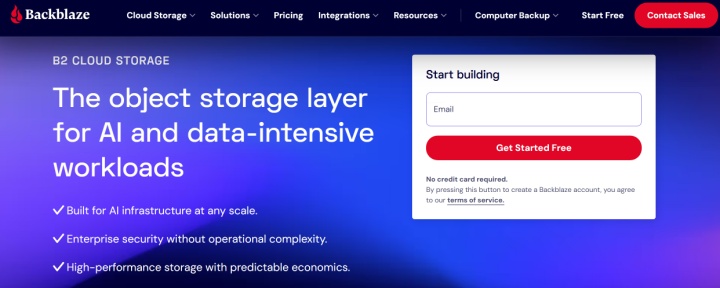
Backblaze is primarily a backup solution rather than a conventional sync-and-share cloud drive. Computer Backup protects files stored on one computer and connected external drives, while B2 Cloud Storage provides separate S3-compatible object storage for technical and media workflows.
Key features:
- Backblaze Computer Backup offers unlimited backup for one computer and its connected external drives (which must be reconnected at least once every 30 days to keep their backup active), making it a strong option for creative professionals, helping reduce the risk of losing important project files.
- The service supports numerous file formats (documents, media, projects, etc.) of any size and does not impose a fixed limit on the total amount of data backed up.
- Users can restore files through the web interface or mobile apps.
- For teams and companies, Backblaze offers S3-compatible B2 Cloud Storage with advanced capabilities for hosting media content, managing backup pipelines, and video processing. Integrations with content platforms and monetization tools are supported.
- The service uses encryption to protect backed-up data and supports additional account security measures, including two-factor authentication. Private encryption keys can also be used.
Backblaze separates Computer Backup pricing from B2 Cloud Storage:
- Personal Backup ($9 per month): unlimited backup for one computer.
- Business Backup ($9 per month per computer): includes multi-computer management and administrative controls for businesses.
- B2 Cloud Storage: S3-compatible object storage starting at $6.95 per TB per month; egress terms apply.
Conclusion
The right cloud storage service can make a creative workflow more reliable and easier to manage. Each platform in this review serves a different need, from collaboration and client feedback to media organization and backup.
Cloud storage services now offer much more than file storage and sharing. Many also provide media previews, backup tools, version history, and collaboration features.
The right choice depends on your workflow: some services are better suited to team collaboration and client feedback, while others focus on backing up large files or organizing media libraries.
Note: Pricing, plan limits, billing terms, and feature availability may vary by region and change over time. Check each provider’s official website for the latest information.