5 Best Tools for Frontend Development (2026)

Building a modern website or app requires more than just coding. You need to design the interface, test it across different browsers, find and fix bugs, and constantly refine the result. Well-chosen tools help you accomplish these tasks faster and avoid wasting time on routine tasks. This review covers five of the best frontend development tools for 2026, outlining their capabilities, use cases, and current pricing.
GitHub Copilot
Source: github.com
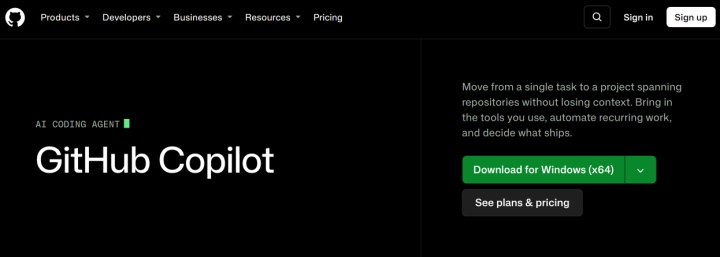
GitHub Copilot is an AI coding assistant and one of the frontend tools for React developers covered in this review. It's also frequently used for projects in Next.js, Vue, Angular, Tailwind, CSS, and JavaScript/TypeScript. It's suitable for both day-to-day work with individual code snippets and for solving more complex tasks related to interface development and modernization.
Key features:
- The AI assistant automatically completes code snippets directly in popular editors and IDEs, including VS Code, the JetBrains IDEs, Visual Studio, and Xcode.
- The tools for web developers offered by this service include auto-completion of React components, generation of JSX/TSX structures, suggestion of Tailwind utility classes, creation of CSS styles, generation of form validation logic, and a number of other processes.
- In Copilot Chat, developers can solve various problems more easily and quickly: it explains the React lifecycle, debugs hydration errors in Next.js, refactors JavaScript to TypeScript, generates responsive layouts, converts CSS to Tailwind, and more.
- In agent mode, the assistant performs autonomous multi-step frontend development tasks, including editing multiple files simultaneously, executing terminal commands, generating and running tests, and finding and fixing errors. A separate Coding Agent can independently process tasks from GitHub Issues and create Pull Requests, while the Code Review feature helps automatically review code changes.
- GitHub Copilot can help with solving front-end modernization tasks: migrating from JavaScript to TypeScript or from CRA to Vite, updating React Router, implementing Tailwind, cleaning up legacy CSS, refactoring for accessibility, and more.
- GitHub Copilot supports models from providers including OpenAI, Anthropic, and Google. Depending on the plan and feature, users can select a model manually or use Auto model selection.


GitHub Copilot offers 6 pricing plans:
- Free: 2,000 code completions per month, limited chat and agent usage, automatic model selection, and Copilot CLI.
- Pro ($10/month per user): all Free features + cloud agent, code review, access to third-party Claude Code and Codex agents, choice of AI models, $15 monthly credits.
- Pro+ ($39/month per user): all Pro features + access to premium AI models including Claude Opus, 4x+ included usage compared to Pro, $70 monthly credits.
- Max ($100/month per user): all Pro+ features + priority access to new models and features, 2.9x the included usage of Pro+, $200 monthly credits.
- Business ($19/month per user): all core Copilot features plus unlimited code completion, cloud agent, code review, access to a wide selection of AI models and third-party agents, centralized access and expense management, 1900 AI credits per user per month.
- Enterprise ($39/month per user): all Business features plus priority access to new AI models and features, 3900 AI credits per user/month, advanced enterprise capabilities.
Vercel
Source: vercel.com
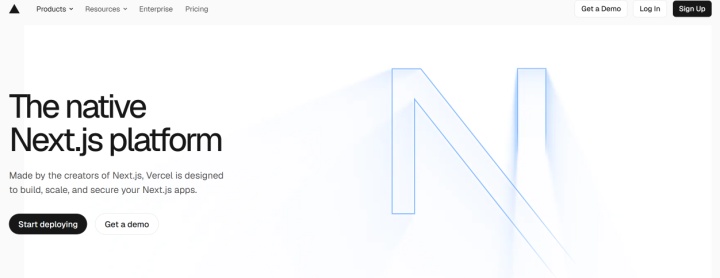
Vercel is a cloud platform for developing and hosting modern websites and web applications. It's particularly well-suited for React and Next.js projects, as it provides a ready-made infrastructure for working with frontend code without the need to manually configure servers. Unlike frontend developer tools focused on editing code, Vercel handles deployment, hosting, and application infrastructure.
Key features:
- Vercel effectively automates website and application deployment through integrations with GitHub, GitLab, Bitbucket, and Azure DevOps. You can also deploy projects from other Git providers using the Vercel CLI.
- It supports the JAMstack architecture, which is based on the principles of pre-rendering and decoupling. This allows developers to more easily and quickly create performant, fast, and secure web projects.
- Serverless functions are one of Vercel's key features. They allow you to execute server-side code, process API requests, and interact with databases without having to manage your own server infrastructure. Functions automatically scale based on load.
- Vercel still supports Edge Runtime for compatible workloads, but recommends migrating to Node.js for improved performance and reliability. Starting with Next.js 16.3, routes and pages no longer support the runtime = 'edge' setting.
- Security and data protection options include free SSL certificates, DDoS protection, Web Application Firewall (WAF), IP blocking, and rate limiting.
- In addition to frontend workflow tools, the platform provides developers with built-in analytics and performance monitoring tools for websites and web applications. Web Analytics analyzes traffic, traffic sources, and user behavior, while Speed Insights helps evaluate page performance based on Core Web Vitals and identify issues affecting loading speed and user experience.
Vercel offers users 3 pricing plans:
- Hobby (free plan for personal, non-commercial projects): repository import, automated CI/CD, Web Application Firewall, global CDN, Fluid Compute, DDoS protection, traffic and performance analytics.
- Pro ($20/month): includes one deploying team seat, $20 in monthly usage credit, Flat Rate CDN, advanced spend management, team collaboration, free viewer seats, and cold start prevention. Additional deploying seats cost $20/month each, and usage beyond included allowances is billed separately.
- Enterprise (price upon request): All Pro features plus team and guest access control, SCIM and corporate directory sync, managed WAF rulesets, multi-region computing and fault tolerance, 99.99% SLA, and extended technical support.
Cursor

Source: cursor.com
Cursor is a standalone editor based on Visual Studio Code, with AI assistance built into its editing workflow. Its completion, chat, and agent features make it a practical choice for teams evaluating AI tools for frontend developers.
Key features:
- Cursor can help analyze, generate, and edit code in languages including JavaScript, TypeScript, Python, Java, C++, Rust, and PHP. Results depend on the model, codebase, and task.
- In Agent mode, the AI assistant independently processes documentation, explores the code base, breaks down complex and extensive tasks into steps, creates and runs scripts, writes and executes commands, and finds and fixes errors in code.
- Cursor also provides a separate Plan mode for preparing complex changes before implementation and a Debug mode for identifying and diagnosing errors.
- In Chat mode, users can communicate with the AI assistant through a conversational interface, sending text queries and commands. Typical scenarios include searching for data in a codebase or the internet, retrieving documentation and relevant web resources, editing code, and more.
- On supported plans, Cursor lets users connect their own API keys from providers such as OpenAI, Anthropic, and Google for supported chat models. This option is not available on Plus. However, specialized features, such as Tab Completion, continue to work with built-in Cursor models.
- The platform offers advanced code prediction capabilities through Cursor Tab and project-specific AI instructions through Project Rules, which are stored in the .cursor/rules directory and define how the assistant should work with a particular codebase.
Cursor offers 7 pricing plans:
- Free: limited Agent and Chat requests, access to basic AI tools.
- Plus ($8/month): all the core features of Free + expanded access to Grok models and additional X subscription features.
- Premium ($30/month): all Plus features plus 4x usage limits, cloud agents, automation, code hosting via Origin, and AI code review with Bugbot.
- Super ($100/month): all Premium features plus 15x the usage limit of Plus and priority access to models during peak periods.
- Ultra ($200/month): all Super features plus 50x the usage limit of Plus and early access to new products and models.
- Teams ($30, $100, or $200 per user/month): plans with varying usage limits, plus centralized billing and settings management, analytics, shared privacy settings, SAML/OIDC, and a marketplace for team resources.
- Enterprise (price on request): all the core features of Teams plus a shared resource pool, SCIM seat management, advanced security and cost settings, invoice pricing, and priority support.
Plus includes Cursor’s own models but does not support third-party models. Third-party model usage on Premium and higher plans is billed separately from the subscription.
Tailwind CSS
Source: tailwindcss.com
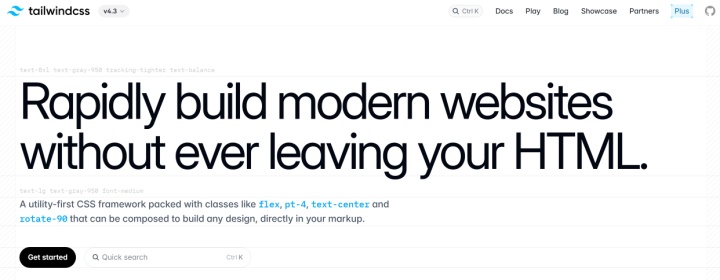
Tailwind CSS takes a utility-first approach to styling, making it a useful addition to a stack of frontend frameworks and tools. This approach gives developers more control over the styling of elements and eliminates the need to write separate CSS rules for each component.
Key features:
- The framework uses utility classes instead of requiring developers to write custom CSS classes for each component. This speeds up UI development and ensures consistency in colors, spacing, and typography.
- Tailwind follows a mobile-first approach and provides breakpoint prefixes for applying styles at different screen sizes. This allows for rapid development of responsive designs.
- The modern CSS-first approach allows you to customize the design system directly in your stylesheets via the @theme directive (fonts, colors, breakpoints, shadows, animations, etc.).
- Tailwind CSS integration tools are available for popular code editors. For example, the Tailwind CSS IntelliSense extension for VS Code provides class autocompletion, syntax highlighting, error checking, and CSS style previews. CSS builds are supported using the framework's built-in tools, including the CLI, PostCSS, and the Vite plugin.
- Tailwind CSS can be used with a variety of frontend frameworks and technologies, including React, Vue, Angular, Next.js, Laravel, and more.
- The framework supports additional plugins, such as Typography for formatting text content and Forms for styling form elements. Features such as aspect ratio control and container queries are already included in Tailwind CSS's built-in functionality.
Tailwind CSS is distributed free of charge under the MIT license and does not require a paid subscription. Tailwind Labs also offers Tailwind Plus, a commercial product featuring ready-made UI components and website templates. However, new customer sign-ups closed in September 2026, while existing customers retain access to the product.
Figma

Source: figma.com
Figma is a cloud-based platform for interface design and creating interactive prototypes for websites and apps. It helps transform design concepts into the foundation for further development, combining tools for visual design and delivering mockups to developers. Figma complements web development tools by helping designers and developers work from shared interface specifications.
Key features:
- The service provides extensive collaboration capabilities, including real-time multi-user editing, comment and feedback sharing, team-wide libraries and resources, and accelerated design, development, and review cycles.
- Figma simplifies UI creation with reusable components with multiple variants (buttons, themes, states), auto-updating shared libraries, design tokens for colors, spacing, typography, and more.
- FigJam provides users with a whiteboarding space where they can collaborate and coordinate product ideas and concepts online.
- Figma supports native integrations with many external systems from the front-end developer tech stack: Google Workspace, Microsoft Teams, Zoom, Slack, Notion, Asana, Jira, Dropbox, and more.
- The built-in developer mode includes CSS, iOS, and Android property inspection, viewing spacing, dimensions, and typography, copying code snippets, tracking design changes, comparing versions, and more.
Figma offers 4 pricing plans. All paid prices below are per seat. Professional prices reflect monthly billing, while Organization and Enterprise prices are monthly equivalents billed annually. Feature access depends on both the plan and seat type; a Collab seat does not include full Figma Design editing or full Dev Mode access.
- Starter (free): up to 3 Figma Design/Sites files, plus separate allowances of 3 FigJam files and 3 Figma Slides files per team, unlimited personal drafts, UI kits and templates, basic design file review capabilities, 500 AI credits per month with a daily limit of 150 credits.
- Professional ($5/month for a Collab seat, $15 for a Dev seat, and $20 for a Full seat): unlimited files and projects, team-wide design libraries, advanced Dev Mode and MCP Server features.
- Organization ($5/month for a Collab seat, $25 for a Dev seat, and $55 for a Full seat): tools for publishing resources between teams, shared libraries and fonts, and centralized administration.
- Enterprise ($5/month for a Collab seat, $35 for a Dev seat, and $90 for a Full seat): individual workspaces for teams, design system customization via API, and access management using SCIM.
Full seats provide access to all Figma products, Dev seats include full Dev Mode access, and Collab seats cover collaboration products without full Figma Design editing access.
Conclusion
The choice of frontend development tools depends on the project's goals and workflow. GitHub Copilot and Cursor help write, analyze, and refine code, Vercel handles deployment and infrastructure tasks, Tailwind CSS simplifies style creation and maintenance, and Figma unifies interface design and collaboration between designers and developers.
The frontend development software featured in this review addresses different development challenges. Some of these tools complement each other, while Copilot and Cursor overlap in AI-assisted coding. Choose tools based on your workflow rather than assuming you need all five.
Note: Prices are in US dollars. Taxes, additional seats, add-ons, and usage charges may increase the total cost. Pricing, AI allowances, and feature availability can change, so check each provider’s official website before subscribing.