
Dropbox Explained: More Than Just Cloud Storage

Created in 2007 and publicly launched in 2008, Dropbox gained fame primarily as a cloud file storage service. Over time, it has expanded far beyond this role, becoming a full-fledged content management and collaboration platform for teams, professionals, and businesses. Today, it's one of Google Drive's main competitors, so it’s worth exploring. We've prepared a 'Dropbox explained' review, unpacking the key tools and capabilities of this service, which is used by over 700 million users in 2026.
Dropbox as a Centralized Workspace
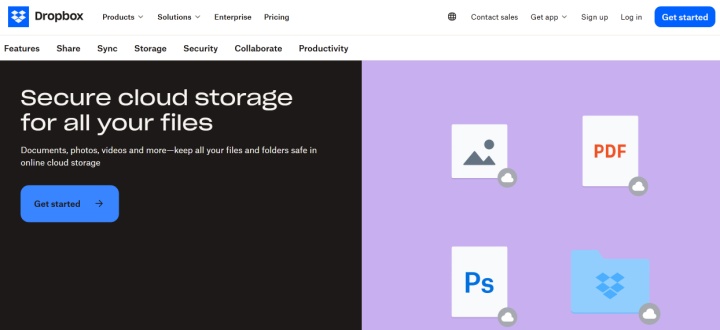
Dropbox cloud storage is a key feature of the platform. It allows you to store, organize, quickly find, and share files of various types with other users. File history, versioning, and permissions are supported.
The platform is based on a unified workspace. File storage is complemented by tools for content management, collaboration, and data protection.
Files uploaded to cloud storage are automatically synced across all authorized devices and accounts. You can access data and use other Dropbox features through the desktop app (Windows, Linux, macOS), mobile app (Android, iOS), and web interface.
Source: dropbox.com
The platform offers an extensive set of tools that enhance its workflow. Among them is Dropbox Dash, an AI-powered feature. It can search data in storage and connected systems, summarize documents, and answer questions about their content.
The integrated document collaboration platform DocSend deserves special attention. It ensures secure file transfer while providing analytics and visual insights for uploaded documents and videos. In addition, it offers virtual workspaces for data collaboration, file indexing, one-click NDAs, and other document management features.
The Dropbox Sign electronic signature module enables document signing. It simplifies template management, automates employee onboarding, and sends signature reminders.
The Backup feature complements the platform's internal ecosystem. It allows you to automatically back up files and folders from your computer and external drives to cloud storage. Users can quickly restore files to their original location with just a few clicks or transfer them to a new computer.
File Sharing, Sync, and Version Control
Working with files in Dropbox is built around three key processes: data transfer, syncing between devices, and change control. The platform provides a unified environment where any file action is instantly reflected in the account and becomes available to users with the appropriate permissions. This makes the system equally effective for both individual work and team collaboration.
Data storage and synchronization
The service allows you to upload, download, view, and otherwise manage files in the cloud. This can be done via desktop and mobile devices with supported operating systems or through a web interface. Files can be automatically uploaded from the device’s file system or specific folders (desktop, documents, etc.).
File synchronization software automatically syncs cloud data between authorized devices and shared accounts. This ensures that any changes, additions, or deletions to files are immediately reflected on all connected devices and accounts.
File transfer and access control
Any files and folders in your cloud storage can be shared with other users via shared links or directly. Dropbox Transfer lets you send large files, with limits depending on the plan.
Data owners can set access permissions for individual files or shared folders, specifying them for particular members or groups. Dropbox file sharing provides data privacy through password-protecting files and folders or creating time-limited links to them.
You can monitor authorized users' actions on shared files and folders in real time, receiving instant notifications. All data is encrypted with 256-bit AES at rest and TLS/SSL during transmission. Multi-factor authentication (MFA) is available to protect accounts.
Version history and data recovery
Depending on the selected plan, Dropbox retains version history for files and folders for a period of 30 to 180 days. Users can view and undo any changes previously made by themselves or other collaborators (with the required access level).
When deleting numerous files from a shared folder, the system can notify users, and any accidentally deleted or modified data can be restored manually through the Recycle Bin or version history within the time limit specified by the plan.
The service automatically backs up data from PCs and smartphones (such as Desktop, Documents, or Gallery folders) to cloud storage. Additionally, the Dropbox Rewind feature allows you to completely rewind individual folders or your entire account (30 or 180 days) in the event of a massive error or virus attack.
Collaboration Tools Beyond Storage
Dropbox's functionality extends beyond file storage and includes a wide range of collaboration tools. Users can share data and work together on creating, discussing, and editing it. This is especially important for team projects that require ongoing synchronization and quick feedback.

- Automate the work of an online store or landing
- Empower through integration
- Don't spend money on programmers and integrators
- Save time by automating routine tasks
In this context, Dropbox collaboration tools play a particularly significant role. They bring together features for collaborative document editing, commenting, task management, and multimedia content interaction.
Dropbox Paper
Dropbox Paper allows team members to collaborate on various types of documents, enabling them to create, edit, comment, and view content in real time. A library of project templates is available, including creative briefs, project plans, meeting schedules, and more.
In addition to text, Paper projects also support other content formats: images, videos, tables, code, animated GIFs, emojis, PDFs, and links. You can also add files from Google Docs, Slack, Zoom, and other systems via integrations.
Annotations and comments
Dropbox lets you add annotations and comments to any supported file type, including text documents, spreadsheets, PDFs, images, and videos. This feature is available in the web interface and mobile apps, as well as through integrated third-party programs (such as Adobe Acrobat), without the need to download the files to your device first.
The platform automatically monitors comments left by other users on shared files and sends notifications to owners. Users can customize notifications and disable commenting entirely for individual files or their entire account.
Coordination, mentions, and tags
Dropbox for Business includes powerful collaboration and project management tools. Companies can request files from external contractors via secure links, set clear deadlines for document collection, and receive automatic notifications as soon as files are uploaded to the cloud. Project managers can track file change history and coordinate team activities in real time using the comment system.
The platform allows you to mention specific users in annotations and comments. To mention a user, enter the @ symbol and type their name. For better organization and quick data retrieval, we recommend using tags. Up to 20 tags, each up to 32 characters long, can be added to any file in the repository.
Collaboration on media content
Video collaboration is part of Dropbox’s workspace features, enabled through integrations with Adobe Premiere Pro, DaVinci Resolve, and other video editors.
Dropbox's native Replay feature allows you to create virtual online reviews for projects with audio, video, or graphics. It also allows you to view comments from project participants, and manage review links through a convenient dashboard.
Dropbox in Business Workflows and Integrations
Source: dropbox.com
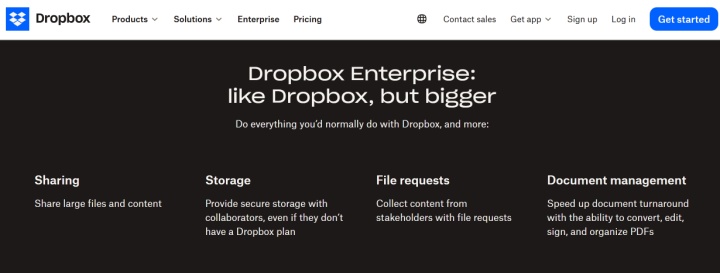
Dropbox's role in business is expanding beyond simple file storage and sharing, becoming part of complex workflows. The platform supports process automation and integrations with third-party services. This allows for more flexible and efficient workflows without the need for complex configuration or programming.
Dropbox workflow automation is particularly important in this context, helping to streamline daily operations and reduce manual tasks. One of its key tools is automated folders in cloud storage. When files are added to these folders, user-defined actions (rules) are automatically applied to them: extracting from an archive, converting to a specific format, renaming, sorting, and so on.
Thanks to automation, Dropbox users can optimize a wide range of data processes, not only within the platform but also interacting with a number of external systems through pre-installed or custom integrations.
Examples of how process automation can be applied include the following scenarios:
- Upload and organize files received via email into selected cloud folders (read more about similar automation in our use case).
- Edit, convert, or tag images when uploading to storage.
- Send copies of shared files to a CRM or team workspaces.
- Create records in a CRM or cards in Trello and other external systems based on newly uploaded files.
- Send notifications to Slack when new documents or other file types are added to the cloud.
Dropbox integrations significantly expand the platform's core capabilities. They can be accessed in two ways: directly through the App Center or by using extensions to perform specific actions in third-party apps.
For example, you can add notes or comments to PDF files directly in Adobe Acrobat. Thanks to the official integration, all changes are automatically saved to the cloud without having to manually download and upload files.
The Dropbox ecosystem offers seamless integration with both its built-in products (Paper, Sign, DocSend, Replay, Dash) and dozens of third-party platforms across key areas:
- Collaboration and communication: Google Workspace, Microsoft Teams, Zoho Mail, Zoom, WhatsApp.
- Design and creative: Canva, Prezi, AutoCAD.
- Working with documents: Adobe Acrobat, Nitro, Formstack Documents, Microsoft Office 365.
- Marketing and sales: Zoho CRM, Formstack Forms, Jotform, Monday.com.
- Productivity and project management: Google Calendar, Outlook, Asana, Mango Suite, Jira Cloud, MeisterTask, Todoist, MindMeister, Wrike.
Developers can enable custom integrations with external systems and automate processes via APIs. Dropbox can be integrated with third-party systems without coding, using the ApiX-Drive online connector.
Final Thoughts
Dropbox is widely used by business users. In 2026, it remains a preferred choice thanks to its wide range of content management and collaboration features.
Dropbox cloud storage for teams not only allows you to store and share files but also perform a wide range of actions with them. These include AI-powered data search and summary generation, professional image and video processing, and one-click document creation and signing.
Dropbox's automations, extensions, and integrations with external platforms enable users to build more efficient workflows, reducing manual tasks and increasing overall productivity.