
Webflow Platform Overview: Everything You Need to Know

Visual no-code platforms have made website creation more accessible, although complex web applications can still require development expertise. This Webflow platform overview examines the service’s core features, use cases, pricing, and limitations.
What Is Webflow
Webflow is a visual web development platform, also known as a website experience platform (WXP). It combines no-code website builder tools, a content management system (CMS), analytics, SEO, deployment, and hosting features, creating a unified environment for building and managing websites.
Webflow is based on an all-in-one approach that moves the development process from code to a visual interface. The user defines the website structure and visual design, and the platform converts these actions into ready-to-use HTML, CSS, and JavaScript in real time. This reduces the need for manual coding and streamlines the workflow between design and development, although advanced functionality may still require custom code.
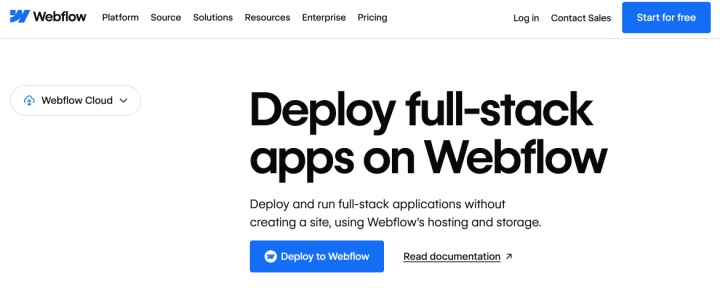
Webflow provides managed website hosting with a global CDN, SSL certificates, and DDoS protection. Separately, Webflow Cloud, powered by Cloudflare Workers, provides full-stack deployment capabilities for web applications.
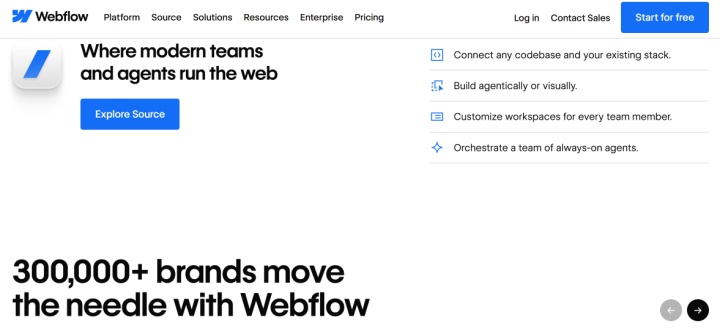
The platform has gained widespread popularity among designers, marketers, startups, and digital agencies, as it allows for the entire web product creation process to be integrated into a single system — without the need to switch between separate design, development, and publishing tools. According to Webflow, more than 300,000 organizations use the platform.
Source: webflow.com
Key Features
This Webflow review examines the platform's key capabilities through separate functional blocks, each responsible for a specific aspect of web project management. Together, they form a coherent system encompassing design, content management, visual effects, responsive layout, SEO, publishing, and integration with external services.
Visual editor and AI tools
Webflow’s visual Designer lets users structure and style websites with live previews and detailed control over layout, typography, and responsive behavior. The platform translates visual edits into HTML, CSS, and JavaScript. Separate AI tools can generate initial site designs, page sections, copy, and React code components, with availability and usage limits depending on the feature and plan.
Content Management System (CMS)
The built-in Webflow CMS is a structured system where users can organize content into collections and items. Each collection is designed for a specific content type: articles, images, product listings, etc.
The system allows for real-time updating of texts, media files, links, and other materials. It also supports structured content management at scale, helping teams maintain consistency and manage SEO settings.
Animations
Built-in GSAP (GreenSock)-based tools help enhance web design with animations (transitions, motion design, etc.) that respond to user interactions with the site interface (clicks, scrolling, and hover states). With Webflow, developers can add modern visual effects to website and web app interfaces without having to master JavaScript or other web programming technologies.
Responsive design
Responsive web design tools are key Webflow features. The platform allows you to preview and customize website layouts for various devices, including desktops, tablets, and smartphones. It includes built-in responsive breakpoints, with styles cascading from the desktop breakpoint to smaller and larger screen sizes.
SEO and performance optimization
The platform's built-in SEO tools include editing webpage meta tags (title, description), redirects, indexing settings, automatic sitemap generation, and other features. They provide a basic level of control over your website's SEO settings without the need for external services.
Cloudflare-backed hosting and Webflow’s image optimization tools help improve website loading performance. HTTPS encrypts data in transit between visitors’ browsers and Webflow-hosted sites.
Hosting
Managed Webflow hosting allows developers to deploy websites with one click and maintain them directly through the platform interface. Webflow provides automatic site backups and restoration tools, SSL certificates, and DDoS protection, with backup restoration limits depending on the plan.
Integrations
Webflow’s integration ecosystem includes Marketplace apps, built-in connections, and third-party services for analytics, automation, CRM, ecommerce, payments, and other workflows. Developers can also connect custom integrations via the API.
You can also set up Webflow integrations through ApiX-Drive, our no-code integration platform. It allows you to automatically transfer new form submissions to a CRM, spreadsheet, or email marketing tool.
Webflow Use Cases
Webflow is used in a wide range of web development scenarios, including marketing pages, full websites, and web application interfaces. The platform's flexibility and combination of visual tools and integration capabilities allow it to be adapted to the needs of specialists of various profiles and teams with different workflows.

Marketers
Webflow allows marketing teams to build and update marketing websites visually without writing code, while advanced functionality and web applications may require development expertise. This platform simplifies and accelerates landing page development, content publishing, and other aspects of marketing campaigns.
Built-in SEO and web analytics tools, as well as collaboration capabilities, play a vital role in achieving online marketing objectives. The platform allows for faster creation and updating of marketing websites, lead forms, case studies, and other materials relevant to digital communications.
Designers
Webflow gives designers control over layouts, typography, and visual effects, helping them create modern web interfaces. A built-in library of templates and components, integration with Figma, Adobe Express, and other design tools help designers work faster and more efficiently.
Web studios and freelance developers
Webflow enables web development professionals to significantly improve productivity in website development and maintenance. The platform helps them create, manage, and scale business websites, e-commerce stores, SaaS marketing sites, and personal portfolios.
Startups and SaaS
The Webflow website builder is especially popular among startups and SaaS companies. It helps them create and launch product landing pages, marketing websites, and other web projects. The platform’s visual tools and integration ecosystem can simplify website creation and maintenance, while the paid Webflow Optimize add-on provides A/B testing and personalization.
E-commerce
Using the native Webflow Ecommerce module, entrepreneurs can design, launch, and manage their online stores without writing backend code. They have access to ready-made e-commerce templates with product pages, cart and checkout, inventory management, and payment options.
The platform is often used to create design-focused stores with professional custom designs. However, it lacks a number of specialized e-commerce features, including multiple warehouses, advanced inventory management, or a comprehensive extension ecosystem.
Web applications
Webflow can be used to design web application interfaces, with custom functionality added through code components or third-party backend services. Developers can also deploy full-stack applications built with frameworks such as Next.js and Astro through Webflow Cloud.
Source: webflow.com
Webflow Pricing
Webflow separates its pricing into Site plans, bundled Platform plans, Workspace subscriptions, and optional add-ons. The prices below are in US dollars and reflect monthly billing unless otherwise stated.
Site Plans
Site plans cover individual websites:
- Starter — free: 2 static pages, 20 CMS collections, 50 CMS items, publishing to a webflow.io subdomain, and access to selected Webflow AI features.
- Basic — $25/month: custom domain support, 300 static pages, unlimited form submissions, and Webflow hosting. This plan does not include the CMS.
- Premium — $39/month: all Basic features plus 20,000 CMS items, 40 CMS collections, site search, and form file uploads.
Platform Plans
Platform plans combine Site and Workspace capabilities with additional organizational tools:
- Team — $2,500/month, billed annually: a bundled Site and Workspace plan with Webflow Localize, publishing workflows, a site activity log and API, governance and security features, and priority support.
- Enterprise — custom pricing: all Team features plus enterprise-scale capacity, granular permissions, advanced governance, enhanced service-level agreements, and a dedicated account manager.
Every account includes a free Starter Workspace. Outside bundled Platform plans, paid Workspace upgrades and additional seats are separate costs that depend on collaboration, staging, and development requirements.
Optional Add-ons
Webflow offers several paid add-ons for analytics, optimization, and localization:
- Optimize — from $379/month: the entry tier covers 25,000 page views per month and up to 5 concurrent optimizations. Features include A/B testing, personalization, AI Optimize, audience targeting, and audience insights.
- Analyze — from $12/month: the entry tier covers 2,000 sessions per month and provides page-view, visitor, and click tracking, along with site-level analytics and page-level insights.
- Localize Essential — from $12/month per additional locale: AI-powered translation, CMS and static page localization, localized SEO, and style localization.
- Localize Advanced — from $35/month per additional locale: all Essential features plus asset and URL localization and automatic visitor routing.
Add-on billing follows the Site plan’s billing cycle. Annual billing offers lower monthly-equivalent rates.
Ecommerce Plans
Webflow also offers dedicated Ecommerce Site plans:
- Standard — $42/month: 500 ecommerce items, 2,000 CMS items, and a 2% Webflow transaction fee.
- Plus — $84/month: 5,000 ecommerce items, up to 10,000 CMS items, and a 0% Webflow transaction fee.
- Advanced — $235/month: 15,000 ecommerce items, up to 10,000 CMS items, and a 0% Webflow transaction fee.
Payment processor fees still apply on all Ecommerce plans, including those with a 0% Webflow transaction fee.
Note: Applicable taxes, additional seats, add-ons, and usage charges may increase the total cost. Pricing, plan limits, and feature availability can change, so check Webflow’s official pricing page before purchasing.
Final Thoughts
Webflow reports a global community of more than 3.5 million users. It combines visual website development, CMS, managed hosting, SEO controls, and optional tools for analytics, testing, and localization.
The platform can suit designers, marketers, agencies, and businesses that need flexible website design. However, advanced functionality may require coding or third-party services, and the total cost depends on the selected plans, add-ons, seats, and usage. A free Starter plan allows users to explore the platform before paying for additional capabilities.