
HeyGen Review: Key Features, Benefits, and Pricing

Any team that has ever tried to scale up video production has faced the harsh reality that it’s time-consuming, expensive, and resource-intensive. Even a short 2-minute clip requires a speaker, lights, a lavalier microphone, a quiet, echo-free room, a clean frame, and plenty of time to cut out any imperfections during editing.
HeyGen, an AI platform for generating videos with digital avatars, emerged as a solution to this problem. Depending on the script and settings, HeyGen can reduce the time needed to create a simple talking-head video from several days of filming and editing to minutes.
What Is HeyGen
HeyGen is a cloud-based AI service that specializes in the “talking-head” format. Its main purpose is to simplify video production by reducing the need for traditional filming equipment and studio setups.
Instead of a complicated workflow, the entire process comes down to a few simple steps:
- Text script. You type or paste ready-made text into a special field. The built-in AI assistant can shorten the paragraph, make the tone more formal, or, conversely, add a casual feel. If you already have a voiceover file, you can upload it instead of the text.
- Choose a frame and character. The database contains over 700 preset avatars. These are studio images of real actors in different poses, outfits, and settings: from serious corporate speakers in suits to a girl with coffee in a hoodie. In addition, there is a Photo Avatar function that allows you to “revive” 2D portrait and a generator of digital twins.
- Voiceover and rendering. In the next step, you select the language and timbre. The system processes your text, generates speech, and synchronizes the avatar's lip movements with the audio before rendering the video in the cloud.
ApiX-Drive editorial team’s point of view: HeyGen AI is a great way to solve the problem of content obsolescence. For example, you made a series of onboarding videos for new employees, and a month later the company changed its vacation policy. Previously, you would have had to call the speaker again and reshoot the entire video. In HeyGen, you simply open the desired project, rewrite a couple of sentences in the text field, and press the render button. In a few minutes, you can update the script and generate a new version of the video.
Key Features: Toolbox Analysis
Source: heygen.com
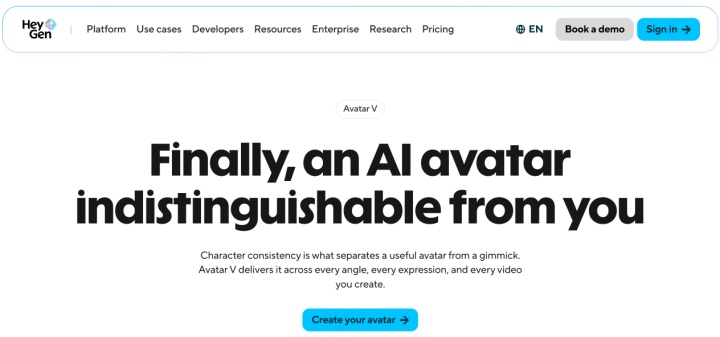
The developers have equipped the platform with powerful tools in the field of talking-head video generation and content localization, eliminating the need to switch between different services. Using advanced HeyGen features, content creators and marketing teams can achieve a video production scale that they could only dream of before.
The Avatar Generation and the Limits of Naturalness
The quality of the generated video depends largely on the avatar model you choose. HeyGen offers several types of avatars, including ready-made presenters, Photo Avatars, custom video avatars, and its newer Avatar 6 models. The result depends on the chosen model, source footage, script, and settings. Older or lower-quality generations may look less natural, with stiffer movements or less convincing lip sync.
HeyGen’s newer Avatar 6 models are designed to produce more natural movement, facial expressions, and lip sync. They can be convincing for many business use cases, but the result still depends on the script, footage, language, and intended viewing context. It is best to review the final video before publishing it.
Voice Synthesis and Cloning
The service's voice module efficiently processes English and other languages spoken around the world. Users can adjust speech speed and pitch, as well as control emphasis on specific words.
Users can create a voice profile by uploading a short sample of clear speech, following the requirements shown in HeyGen’s interface. You can give your digital twin the task of speaking, for example, in Spanish or Japanese, and it will do so while maintaining your recognizable timbre.
Video Translation With Resynchronization
This feature is useful for companies entering foreign markets. To use it, you need to upload a regular video with a live person (for example, a product review in English) and select the target language.
The HeyGen AI video generator doesn't just translate text and add a synthesized dubbing. The algorithm essentially "redraws" the speaker's lip movements in the original video to match the phonemes of the new language. The result is a video in which the translated speech can sound natural and the speaker’s lip movements can appear better synchronized with the new language. As with any AI-generated output, review the final result before publishing.
API and Corporate Functionality
HeyGen supports team collaboration through shared workspaces on business-oriented plans. Teams can add members, use shared templates, and manage access centrally. Business plans also include a brand kit for fonts, logos, and corporate colors.
Thanks to the API, video generation can be fully automated. For example, when new users register on your site, the CRM system sends their names to HeyGen via the API, triggering the automatic generation of personalized video greetings featuring a manager.
Advantages and Nuances of Practical Application
In theory, everything looks perfect, but practical experience with the platform reveals a number of nuances that users should be aware of in advance.
The main advantage of HeyGen is speed and scalability. One marketer or product manager can generate in a week the amount of training materials or advertising creatives that previously took months of work for an entire team of specialists.
Localizing short videos for multiple markets can take hours or days rather than weeks, especially when teams use consistent scripts and review the translations before publishing. You no longer need to spend weeks searching for native speakers and studios in each region, as well as paying for local talent and studio rentals.
Potential Challenges and Limitations
Problems with pronunciation and phonetics. AI voices often stumble over highly specialized terminology, abbreviations, proper names, or rare surnames. For example, in some languages, a digital avatar may misplace word stress or mispronounce words with similar spellings.
Practical life hack. Never send a video for final rendering without listening to it first. If the AI distorts a word, write it phonetically in the script the way it sounds, not the way it is spelled according to the rules. Add extra commas, dashes, or spaces to force the voice module to make natural pauses and correctly place intonation accents.
Small visual artifacts. If your avatar is actively gesturing, there may sometimes be a slight blur or twitching at the edges of the hands or hair. These nuances will immediately identify the work of a neural network to an experienced eye.
Verification and legal restrictions. To create a digital twin, HeyGen typically requires a short consent video in which the person appearing on camera agrees to the creation of their digital likeness. This helps reduce the risk of unauthorized use of a person’s likeness but does not guarantee complete protection against misuse. Procedures for photo avatars and voice cloning may differ, so users must ensure they have obtained the necessary rights and consent.
Where AI won't replace a live person. HeyGen is great for standard instructions, procedures, feature reviews, sales scripts, and short promos. However, if you need to record a deep emotional interview, heartfelt storytelling, or expert analysis with vivid emotions, HeyGen AI avatars still lose out to a live person with their imperfect but real facial expressions.
HeyGen Pricing: How to Pay and Count Credits
HeyGen's pricing policy is built around an internal currency called credits. It is because of them that inexperienced users most often make mistakes when choosing a subscription.
Subscription Tiers
The official HeyGen website presents the following line of pricing plans:
- Free: 3 videos per month (up to 1 minute each) with a watermark. Access to Avatar 6 and Video Agent, with limited trial access to selected premium features.
- Creator ($29/month or $24/month with annual subscription): 600 credits per month, no watermark, 1080p export, and videos up to 30 minutes long. Includes access to Avatar 6 Turbo and Avatar Lipsync, with expanded access to Video Agent.
- Pro (starting at $49/month or $41/month with an annual subscription): 1,000 credits per month, 4K export, faster processing, and videos up to 30 minutes long. Includes Avatar 6 Pro, expanded Video Agent access, and higher voice cloning limits.
- Business ($149/month plus $20 per additional seat per month): 1,500 credits per month, videos up to 60 minutes long, 5 Custom Video Avatars with Avatar 6 Pro, 4K export and upscaling, SCORM export and LMS integrations, SAML/SSO, and a shared workspace.
- Enterprise (price upon request): custom terms for larger companies, no maximum video length, credit volume tailored to usage, the fastest processing and highest concurrency offered by HeyGen, centralized role and access controls, and enterprise-grade security options.
All prices are current at the time of writing. The company may change them, so we recommend checking this information yourself on its official website.
Credit Usage: How to Avoid Miscalculations
Source: heygen.com
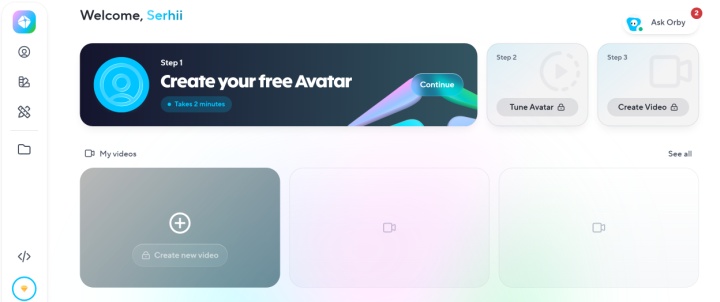
One minute of video does not correspond to a fixed number of credits. Credit usage depends on the avatar model and the features used.
Avatar type. Credit usage varies by avatar model, video duration, and generation settings. HeyGen states that the number of credits used can differ based on the selected AI model, the length of the video, and the complexity of the generation. Before generating a video, check the estimated credit charge shown in your account.
Translation costs. HeyGen Video Translation draws from the shared credit balance of your credit-based plan. Translation without lip sync costs 4 credits per minute. With lip sync enabled, Speed mode uses 6 credits per minute, while Precision mode requires 10 credits per minute. For example, translating a 5-minute video into three languages requires 90 credits in Speed mode or 150 credits in Precision mode.
Credit rollover. With a monthly subscription purchased through the website, unused credits roll over for one additional billing period. With annual billing, credits are allocated monthly, and unused credits accumulate until the annual subscription renewal date. Different terms may apply to mobile subscriptions, API usage, and legacy plans.
Rates and policies may change. Before paying for a subscription or generating a video, check the current terms of your plan.
Conclusions
HeyGen is not a toy for generating funny memes but a serious working tool for automating video production.
This service is needed primarily:
- For corporate learning (L&D) and HR teams: to quickly create dozens of internal procedures, training courses, and onboarding instructions.
- SaaS products and technical support: to create a video knowledge base and reviews of new features.
- For marketers targeting international markets: to quickly test advertising creatives and localize videos for different countries without involving local actors.
Advice from the ApiX-Drive editorial team. Before purchasing a subscription, consider and put your real usage scenario “on paper”: how many minutes of finished video do you need per month, in what languages, and what avatar models will be needed for this. This will allow you to choose the optimal tariff and not be left without credits in the middle of an important project.