
The Battle of Email Giants: MailerLite vs. Mailchimp Comparison

Email marketing remains a vital business promotion tool today and is among the most widely used communication channels due to its high return on investment and direct communication with the audience. Specialized email marketing platforms help companies create and send emails quickly, efficiently, and with maximum personalization. Among these services, MailerLite and Mailchimp stand out. In this article, we'll compare them, explore their history, key features, pricing plans, and main differences to understand which is best suited for various email marketing needs.
Introduction to the Competitors
A comparison of MailerLite vs. Mailchimp highlights the differences between two leading email marketing platforms, each targeting different audiences and use cases. MailerLite is valued for its accessibility and well-designed UX, making it popular among small businesses, startups, and creatives. Mailchimp combines extensive experience with powerful automation tools, integrations, and AI features, offering a comprehensive solution for a broader range of users. Below is an overview of the key features, history, development, and pricing plans of each platform.
MailerLite
Source: mailerlite.com
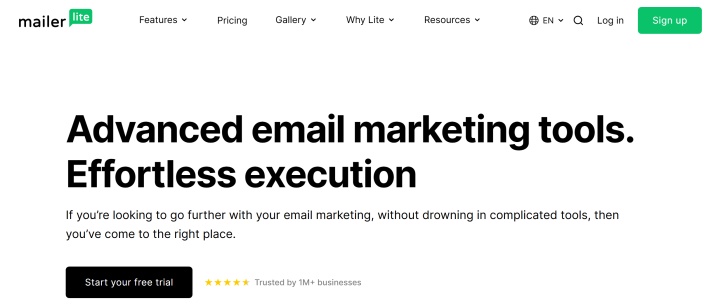
MailerLite positions itself as an all-in-one email marketing platform. It helps users plan, create, automate, and optimize email campaigns to grow their digital audience.
MailerLite was launched in 2010 as a small tool for creating and optimizing email newsletters. In 2023, the developers released a completely updated version, after which the previous version was released as a separate product called MailerLite Classic.
Today, this niche email marketing service has evolved into a comprehensive digital marketing platform with numerous automation features and integrations. It also offers a range of additional tools for website creation, lead generation, and online sales support.
MailerLite is especially popular among small and medium-sized businesses (SMBs), startups, freelancers, content creators, and bloggers. Its key features include a simple and user-friendly interface, making it a suitable solution for those new to email marketing.
A significant advantage of this tool is its accessibility for a wide range of users. It offers a free plan, while its basic paid plan starts at just $9 per month with an annual subscription.
Of course, the MailerLite service is among the available connectors on our platform. You can quickly and without special skills create automated processes and leverage the capabilities of this popular tool.
Mailchimp
Source: mailchimp.com
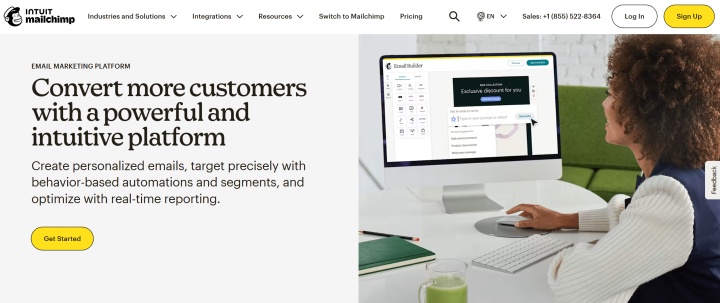
Founded in 2001, Mailchimp is considered the pioneer of modern email marketing. Its target audience includes small and medium-sized businesses, startups, ecommerce companies, and local service providers.
Mailchimp is widely known for its tools for effective email automation, reporting, and analytics, as well as its extensive library of integrations supporting over 300 third-party systems. The service also offers built-in AI features and a range of additional marketing solutions, including tools for lead generation, content creation, form building, and website creation, social media promotion, testing, and SMS messaging.
The platform is popular with users thanks to its versatile functionality and well-designed interface. Its wide range of pricing plans, including a free one, also attracts users.
Mailchimp is rightfully among the most popular email marketing services — according to the company, it's used by over 11 million businesses worldwide. Separate independent studies estimate the total number of Mailchimp users and accounts at around 13–14 million.
Integrate Mailchimp into your automation chains through our ApiX-Drive platform. Create efficient workflows and increase your productivity.
Core Functionality
When choosing an email marketing platform, it's important to understand the tools each service offers and how flexible they are in addressing different marketing needs. Comparing Mailchimp vs. MailerLite helps us understand the differences in their approaches to managing campaigns, audiences, and marketing processes.
Mailchimp
Mailchimp offers a wide range of tools for managing email marketing and audience engagement. Its functionality covers all key stages of email marketing:
- Create and optimize email campaigns. The built-in builder with a comprehensive catalog of templates makes it easy to create and customize various email types without any design or coding skills. You can also test different email campaigns and calculate the best time to send them.
- Audience and contact management. Segmentation and targeting tools help sort and group contacts based on behavior, interests, or demographics. Customer tags and profiles are also available, along with contact forms, surveys, pop-ups, and other features for expanding your subscriber base.
- Marketing automation. Among Mailchimp's features, this is one of the most sought-after. It allows you to send automated email sequences from scratch or using preset templates. The system automates both marketing and transactional emails by tracking subscriber activity and sending them emails with relevant content.
- Content creation and asset management. Mailchimp includes a built-in visual content library called Content Studio. Its generative AI tools help automate the creation of email subject lines and body copy, as well as complete campaigns. Dynamic content provides additional opportunities for email personalization.
- Integrations. The platform supports native integrations with over 300 external services and applications. All of them are conveniently categorized in the catalog: advertising, analytics, contact management, content, design, ecommerce, marketing, productivity, and more. An API and webhooks are also available for custom integrations.
- Reporting and analytics. Built-in analytics and reporting features allow for comprehensive tracking of email and SMS campaign performance in real time. These features allow you to collect and process a range of email metrics (open rates, CTR, conversions, etc.), as well as develop customizable reports and visualizations for data-driven insights.

- Automate the work of an online store or landing
- Empower through integration
- Don't spend money on programmers and integrators
- Save time by automating routine tasks
MailerLite
MailerLite features help you effectively manage your email campaigns and optimize audience engagement. The email marketer's toolkit provided by this service includes:
- Newsletter builder. The drag-and-drop builder makes it easy and quick to create professional email newsletters using ready-made blocks, templates, built-in AI options for content development, and Canva integration for email design.
- Automation. The platform offers a visual process editor for creating automated sequences: welcome emails, follow-ups, nurturing funnels, etc. Various triggers and conditions are also available for personalizing emails based on subscriber behavior or specific events.
- Segmentation and personalization. Marketers can flexibly segment contacts based on users behavior, demographics, tags, or custom parameters, while dynamic blocks allow them to display the most relevant content to different segments of the audience.
- Landing page and form builder. The built-in builder lets you create professional landing pages with 70+ preset blocks, helping adapt them to your campaign goals and brand style. It also features built-in forms, pop-ups, targeted triggers, and other lead generation tools.
- Testing and optimization. MailerLite includes A/B testing tools that let you test content, headlines, send times, and other campaign parameters to improve their effectiveness. Built-in dashboards help you track opens, clicks, signup sources, geolocation, and other important email marketing metrics.
- Integrations. The platform provides a wide range of native integrations with over 130 systems. These include various services and applications from over 10 categories: analytics and reporting, CRM, design, payments, social media, project management, process automation, website builders, ecommerce, and more.
Key Differences
While MailerLite and Mailchimp solve similar marketing tasks, each service approaches them differently and with varying levels of user experience. Let's explore their key differences to help you understand which platform is best suited for your specific needs.
Interface and Ease of Use
MailerLite offers a user-friendly and easy-to-learn interface with intuitive dashboards and clear navigation. The platform's ease of use makes it an ideal email marketing tool for beginners.
Mailchimp's interface is more complex, making it challenging for beginners to navigate. Some features are difficult to find, and familiarizing yourself with all the platform's capabilities can take time. On the plus side, new users enjoy onboarding for the first 90 days after registration (Standard or Premium plan).
Design Possibilities
MailerLite's library contains over 100 templates and ready-made blocks with content and other elements, categorized by industry. The platform also offers separate landing page templates, complete with a built-in online editor.
Mailchimp includes 220+ templates, all sortable by category and editable (including with AI tools). Edited templates can be saved to the template library and reused. You can also create custom templates from scratch and import them.
Automation and Analytics
Source: mailerlite.com
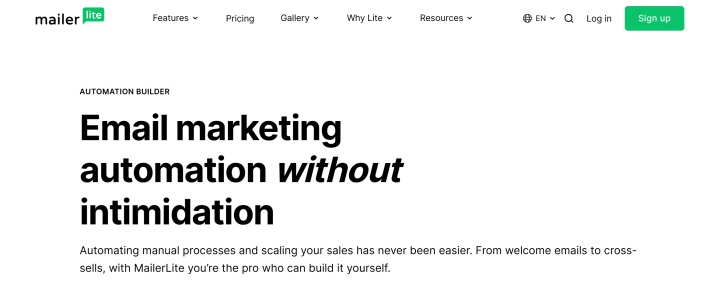
MailerLite has a basic set of automations (15 templates), which lacks a number of triggers (for ecommerce, etc.). However, they are available even on the free plan. The platform also offers fairly limited analytics options, but they are conveniently implemented in the interface.
Mailchimp boasts a large number (115+) of automation templates, including goals, behavioral triggers, and complex workflows. However, these are only available with paid plans. It also offers powerful analytics tools with forecasts, email benchmarking, click maps, ecommerce statistics, and other features.
Integrations
MailerLite offers users over 130 pre-installed integrations. These include many relevant business services and applications (WordPress, Shopify, Stripe, etc.).
Mailchimp has a significantly more impressive list of 330+ native integrations, as well as extensions for ecommerce platforms, CRMs, and other systems.
AI Functions
MailerLite offers relatively limited AI tools. They can automate only a few email marketing tasks, such as generating email subject lines, body copy, and landing page templates.
Mailchimp's AI capabilities are more extensive. They include not only content generation and adaptation but also email automation and other tasks performed with the help of artificial intelligence.

Source: mailchimp.com
Support
MailerLite offers email and live chat support even for free plan users, but only for the first 14 days. After this period, live chat support is only available on paid plans.
Mailchimp support is available via live chat, email, and phone. On the free plan, support is limited to email and is only available for the first month after registration. However, there are also a number of guides, tutorials, and other educational materials.
Subscription Tiers
MailerLite pricing includes 4 standard plans for marketing emails:
- Free (12,000 emails per month, 1 user, email and live chat support for up to 14 days, drag-and-drop editor, automation builder, websites, up to 10 landing pages, contact forms and pop-ups, performance reports).
- Growing Business (unlimited emails, 3 users, 24/7 email support, all Free features + digital product sales, unlimited templates, dynamic emails, multivariate testing, unlimited landing pages and websites) — starting from $10 per month.
- Advanced (unlimited emails and users, 24/7 support via online chat and email, all Growing Business features + HTML newsletter editor, Facebook integration, advanced automations, AI assistant, etc.) — starting from $20 per month.
- Enterprise — for companies with a database of 100,000+ contacts (personal manager, onboarding consultations and training, dedicated IP address, account audit, etc.) — price upon request.
Mailchimp pricing is represented by a line of 4 plans:
- Free (1 user, 1 audience segment, up to 250 contacts, up to 500 emails per month, basic functions).
- Essentials (3 users, 3 audience segments, up to 5,000 emails per month, up to 4 automations, limited analytics, forms, landing pages, A/B testing, integrations) — starting from $13 per month.
- Standard (5 users, 5 audience segments, up to 6,000 emails per month, up to 200 automations, standard analytics, forms, landing pages, A/B testing, advanced segmentation, behavioral targeting, dynamic content, generative AI, 1 onboarding session, etc.) — starting from $20 per month.
- Premium (up to 150,000 emails per month, unlimited users and audience segments, all Standard features + 4 onboarding sessions, personal manager, priority support, etc.) — starting from $350 per month.
Pricing and features are subject to change and vary based on your subscriber count. For the most current tiers and service updates, please visit the official websites of MailerLite and Mailchimp.
Conclusion
In 2026, MailerLite and Mailchimp are deservedly among the best email marketing tools, enjoying success with millions of entrepreneurs and marketers. Each has its own specific features, advantages, and disadvantages, so it's difficult to clearly determine a single winner.
After comparing various Mailchimp alternatives, it's safe to say that MailerLite is ideal for small businesses, startups, creatives, and anyone just getting started with this marketing channel. It has a user-friendly interface and affordable pricing with a free plan, but it doesn't boast a ton of features.
Mailchimp is a more complex and expensive tool but also more feature-rich. It's aimed at email marketing professionals who require a wide range of options and customizations, as well as a variety of automations, extensions, and integrations with business systems.
Read also on our blog:
- How to Set Up Tally and Mailchimp Integration: Complete Step-by-Step Tutorial
- Tally and MailerLite Integration: Automatic Transfer of Leads
- Firecrawl Explained: Turning the Web into Usable Data with AI
- Apollo.io Explained: How This Platform Supercharges Sales and Lead Generation
- TikTok and Google Calendar Integration: Automatic Lead Transfer