5 Best Tools for Personal Knowledge Management (PKM)

People today receive colossal amounts of information daily, a reality that those living just a few decades ago could hardly have imagined. Specialized tools, such as personal knowledge management systems (often called "second brain" apps), can help people better manage this growing flow of information. In this article, we explain the principles and methods behind these tools and introduce you to the capabilities of the five most popular PKM platforms in 2026.
What Is a Personal Knowledge Management System
Personal knowledge management is a systematic approach to collecting, storing, organizing, and using information in work and everyday life. This system enables people to acquire new knowledge and skills more effectively, make more accurate and informed decisions, and generate creative ideas more easily.
PKM is a popular method for increasing personal productivity these days. It helps people (especially knowledge workers) better organize and manage the growing volumes of incoming information, as well as their own thoughts and ideas.
Key components of a personal knowledge management system:
- Knowledge gathering. The first stage of the PKM process allows for the systematic collection of information from various sources. The most common sources include books, magazines, articles, posts, videos, online courses, meetings and conversations, and personal experience.
- Knowledge storage and organization. Collected knowledge is stored in specific resources (local or cloud storage) and organized so it can be easily found and linked to. At this stage, techniques such as tagging, hierarchical folders, concept maps, linked notes, etc., are often used.
- Knowledge synthesis. This stage involves generalizing information, reflecting on ideas and planning actions, establishing connections between related concepts, and building conceptual models and frameworks.
- Knowledge application. The PKM system helps people quickly and easily acquire new skills, make sound strategic decisions, generate new ideas and concepts, and effectively solve current problems.
The main advantages of using a knowledge management system:
- Improved information acquisition and retention. Note-taking, summarizing data, connecting ideas, and other techniques strengthen memory and improve learning efficiency.
- Reducing information overload. Knowledge management systems help filter, organize, and prioritize information, preventing cognitive overload.
- Faster thinking and decision-making. Properly organizing knowledge facilitates better and faster decision making.
- Improved creativity. Structuring and integrating previously acquired knowledge makes it easier to generate new, original ideas.
- Long-term access to information. Advanced PKM apps provide a personal database (a so-called "second brain"), which serves as an organized digital archive of knowledge and ideas with search tools and other features.
- Productivity enhancement. This method helps people optimize their search and processing of information, enabling them to use existing knowledge more quickly and efficiently, thereby increasing their work efficiency.
When choosing the right solution, it's important to consider the service's functionality, approach to information organization, and the specifics of knowledge graph note-taking apps. Some tools emphasize flexibility and visual data structuring, while others focus on collaboration, process automation, or creating a fully fledged "second brain" for storing and organizing information. Let’s explore the five most popular personal knowledge management tools and their capabilities.
Notion
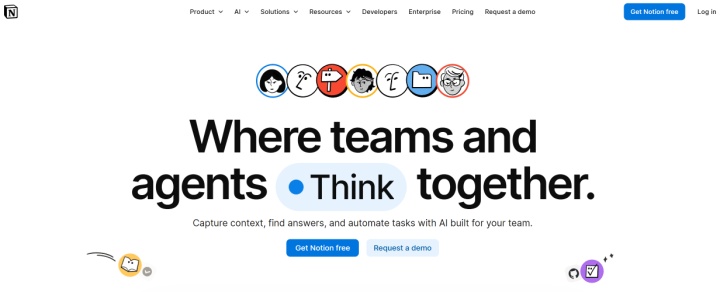
Source: notion.com
Notion is one of the most versatile information management platforms, combining the functions of a task manager, database, and note-taking tool. Its flexibility makes it suitable for both team collaboration and individual knowledge management. In either case, it can be used as full-fledged personal knowledge management software.
Key features:
- The block editor helps you easily structure your ideas and notes, create large, detailed documents from building blocks, and combine different types of data and content.
- The service offers a library of templates for improving personal productivity, such as productivity logs, daily, weekly, and monthly planners, personal project, goal, and habit trackers, task managers, and more.
- The platform's built-in storage enables organized information storage across various projects, topics, and subjects, creating a comprehensive cloud knowledge base.
- Notion offers powerful functionality for managing and customizing knowledge bases. Users have access to tags, dates, statuses, links, and other data organization options, as well as a variety of visualization methods (tables, calendars, galleries, Kanban boards, etc.).
- Automatically linking pages through backlinks helps create an interconnected knowledge system with a wiki-like structure to quickly find connections between ideas or other data.
- With the built-in AI assistant, users can automate document summarization, find answers to questions, and extract relevant information from the knowledge base. Full access to AI features (AI Agents, Ask Notion) is available only on the Business plan.
Notion offers 4 pricing plans:
- Free (limited trial access to Notion AI (20 requests, one-time), basic forms and sites, calendar, mail, databases with subtasks, dependencies, custom properties, etc.).
- Plus (all Free features + unlimited charts and file uploads, custom forms and websites, basic integrations) — $12/month per user.
- Business (all Plus features + search for external apps, full unlimited access to Notion AI (AI Agents, Ask Notion), AI Meeting Notes, premium integrations, etc.) — $24/month per user.
- Enterprise (all Business features + audit logs, advanced integrations, advanced security options, etc.) — price upon request.
To maximize your productivity, you can automate data flows to and from your workspace using the ApiX-Drive online connector. This no-code tool lets you easily set up integrations for Notion.
Obsidian

Source: obsidian.md
Obsidian is a local-first knowledge management platform built around Markdown and interconnected notes. Launched in 2020, it quickly became one of the most popular apps for organizing ideas and notes. It is aimed at users who value not only storing information, but also actively working with ideas, linking them, and structuring them.
Key features:
- Obsidian stores all documents, notes, and other text content in Markdown format. This ensures convenient formatting (lists, headings, tables, code snippets), offline operation, no vendor lock-in, as data is stored locally on the user’s device, and compatibility with any Markdown editor.
- The service has native applications for a number of platforms (Windows, Mac, Linux, Android, iOS) and extensions for many web browsers (Chrome, Firefox, Edge, Safari, etc.).
- Support for two-way links makes it easy to combine disparate information into knowledge graphs. When you link a note in your database, the platform automatically displays other notes that link to it.
- Interactive visualizations such as nodes (displaying notes), edges (showing relationships), and filters (useful for searching tags or topics) help you more effectively find clusters of related knowledge, explore connections between ideas, and identify gaps in data sets.
- Obsidian has a vast ecosystem of plugins created by its community members. These provide the platform with a range of additional features, including task management, dashboards and databases, Kanban boards, calendars, and more.
- With optional synchronization, all files in your knowledge base are stored in the cloud and can be transferred to a new device. It also allows you to sync specific file types, recover deleted data, manage version history, and more.
Obsidian's basic functionality is free for all users. Access to its advanced features is available through four pricing plans:
- Sync (note synchronization across devices, end-to-end encryption, version history, collaboration, priority support) — $5/month per user.
- Publish (publishing notes online, theme customization, graphical and full-text search, priority support) — $10/month per user.
- Catalyst (early beta access, community badges, VIP channel) — one-time payment of $25.
- Commercial (project development support, presentation in the sponsoring organizations' feed) — $50/year per user.
Tana Outliner
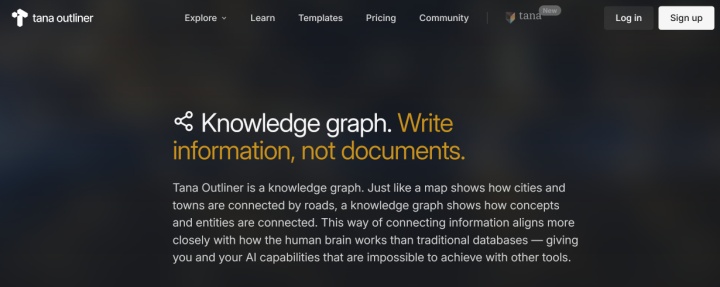
Source: outliner.tana.inc
Tana is a next-generation cloud knowledge management platform that combines a knowledge graph structure, task management, and deeply integrated AI tools. The service is based on transforming information into a coherent, dynamic system. Its ability to leverage AI, structured metadata, and dynamic data nodes makes it one of the most advanced knowledge management apps.
Key features:
- The platform stores information as interconnected nodes (knowledge graphs), each representing a separate piece of data. Nodes can be linked, referenced, and displayed in different contexts.
- The built-in AI assistant can automatically generate text, enter data into fields, extract insights, and compile note summaries. With access to the entire graph structure, it effectively integrates context and adds content to workflows.
- Tana allows you to flexibly combine knowledge, tasks, and projects in a single system. It allows you to transform any node into a task, track projects through fields and dashboards, and link tasks to knowledge and research.
- The service enables process automation through command nodes, native integrations with third-party platforms, and APIs. This makes it possible to create automated PKM pipelines based on it.
- The structured metadata system (supertags) turns any note into a structured object with predefined fields and templates.
- Users can create real-time search nodes (dynamic dashboards) that automatically display objects that match specified criteria and update data in real time.
Tana offers 3 pricing plans:
- Free (editor, supertags, task management, 500 AI credits, 500 MB cloud storage, up to 3 workspaces, export to Markdown or JSON).
- Plus (all Free features + meeting transcription, AI process development, unlimited workspaces, 2000 AI credits, etc.) — $10/month.
- Pro (all Plus features + custom AI processes and automations, API, 5000 AI credits, template publishing, Readwise integration) — $18/month.
Capacities
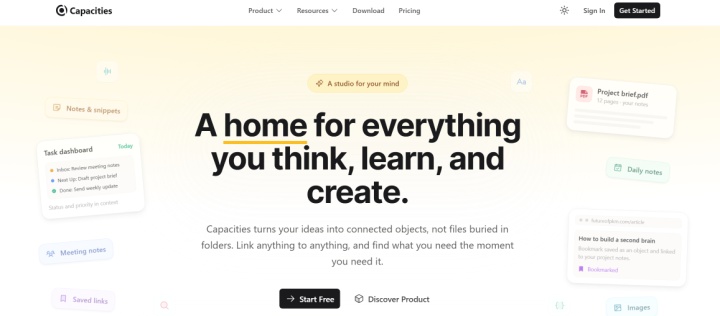
Source: capacities.io
In lists of the best note-taking apps for knowledge management today, you'll often see Capacities. It's a knowledge management platform with an object-based data organization system and support for interconnected notes. The service helps organize ideas, tasks, documents, and other types of information in a single structure, simplifying the creation of personal knowledge bases and organizing information.
Key features:
- The service offers an object-oriented data organization model, where any information is stored as an object with specific types and a system of relationships with other objects in the storage.
- Users receive a networked system of knowledge that is interconnected through backlinks and mentions (@).
- Capacities' block links allow you to link to specific parts of a document or note, rather than to the entire document or note. This allows you to use content in multiple places and embed notes within each other.
- The service allows for daily journaling, planning and reflection, capturing ideas, and tracking tasks. The information collected in this way can easily be added to a structured knowledge base.
- Search and data retrieval functions allow you to find objects by block links, perform full-text searches and queries based on objects, filter by tags, and more.
- Users have access to a range of templates and pre-built workflows of various types: document and workbook summaries, meeting minutes, research papers, and more. Each template can include themes, tags, template fields, linked objects, and other components.
Capacities offers 3 pricing plans:
- Basic (unlimited spaces/objects/blocks, device synchronization, unlimited custom object types, full-text search, upload up to 100 MB of data per month, etc.) — free.
- Pro (all Basic features plus task management, AI assistant, integration with online calendars and task managers, smart queries, etc.) — $11.99/month.
- Believer (all Pro features + beta access to new features) — from $14.99/month.
Supernotes
Source: supernotes.app
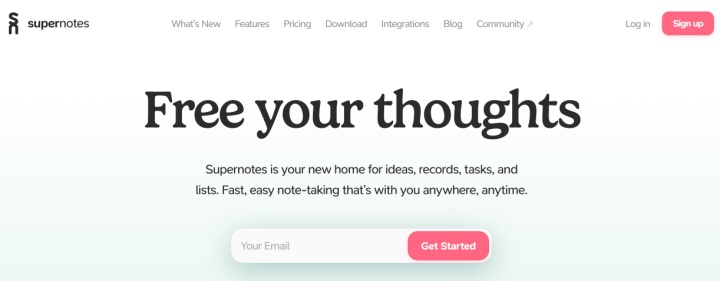
Rounding out the review of the best PKM tools is Supernotes. The platform offers nearly fifty features, as well as integrations and apps for a range of platforms (Windows, Linux, Mac, Android, iOS, and VR). In terms of its feature set and the level of sophistication of its tools, Supernotes confidently competes with leading personal knowledge management solutions.
Key features:
- The information in this knowledge base is structured into cards, making it easier to connect and combine ideas. Each card supports text and Markdown formatting, images, tables, lists, and other data types.
- Cards are linked to each other via two-way links, and 2D/3D graphs help visualize the connections between them, providing interactive navigation through the knowledge base.
- Collaborative knowledge management provides features for sharing cards via secure links, collaborative real-time data editing, as well as comments and reactions.
- The activity-tracking calendar helps you track your note progress daily, set target dates, and find notes created on a specific day.
- The built-in AI assistant automates the processes of organizing and structuring notes, generating ideas, detecting errors/typos, and more.
- Supernotes supports importing notes in Markdown format, exporting notes in Markdown, JSON, PNG, and PDF formats, and also supports integration with external systems via APIs.
Users have access to 2 pricing plans:
- Starter (up to 100 cards, offline operation, device syncing, calendar with heatmaps, collaborative note creation/publishing, etc.) — free.
- Unlimited (all Starter features plus unlimited cards, AI assistant, API and integrations, priority support, etc.) — $11/month.
Conclusion
By using the tools for building a "second brain" discussed in this article, you can work with personal data more quickly and efficiently, easily store and organize your thoughts, and cope with information overload. Each of these services offers a robust set of digital knowledge management tools, ranging from built-in note editors and knowledge bases to AI assistants, automations, and integrations.
Important note: Pricing plans and features are subject to change. For the most current pricing, terms, and feature availability, please visit the official websites of the respective tools.