
Box Review: Modern Approach to Content Management

Cloud storage capabilities in 2026 extend far beyond simple file storage and organization. Leading platforms in this space are comprehensive systems with a wide range of features for different use cases, enhanced with AI support, automation, and integrations. This article explores a leading solution for working with cloud content and data. This Box review covers the service’s key features, current pricing, interface features, and popular use cases.
What Box Is and How It Works
Box is a cloud-based content management platform. It offers solutions for secure data storage and sharing, collaboration, and process automation using artificial intelligence.
The platform includes over 15 tools, grouped by topic. For example, the cloud file management module provides centralized file storage with advanced organization, search, and metadata tools.
Storage per account ranges from 10 GB on the free plan to unlimited on business plans, with a maximum file upload size of up to 150 GB. Box offers a range of data protection and management options, including intelligent threat detection, device security settings, data retention and management policies, archiving, content migration, and more.
The platform supports real-time file updates across all authorized devices, team file sharing, content visualization, and whiteboarding. Notes and comments, content portals, document and form creation from templates, e-signatures, and more are available.
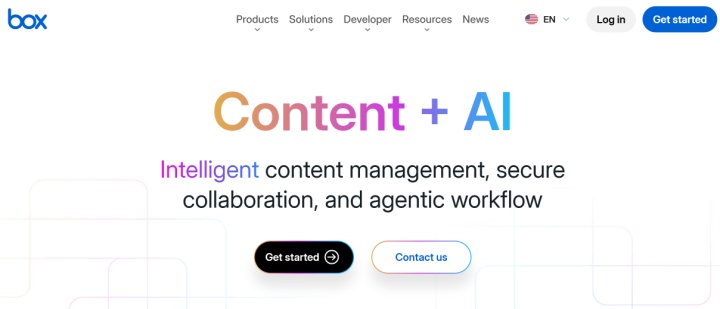
Source: box.com
Additionally, Box users can automate workflows and business processes with AI, build no-code applications, and extract structured information from unstructured datasets. The platform also allows you to deploy AI agents and connect them to databases or content via the Box AI Platform and API.
A large library of pre-built integrations helps expand Box's standard functionality. It enables native connections to over 1,500 external systems and applications. Using the API, SDK, and other tools, developers can build custom integrations and embed functionality into third-party workflows.
To expand connection options without diving into complex development, no-code automation tools offer efficient solutions. Platforms like ApiX-Drive enable users to configure integrations for Box quickly and easily, linking cloud storage with other business systems and applications.
The platform's pricing includes 7 Box plans for teams, large businesses, and individual users:
- Individual (1 user, 10 GB storage, file upload up to 250 MB, 1 file version, 5 signature requests per month) — free.
- Personal Pro (1 user, 100 GB storage, file uploads up to 5 GB, 10 file versions, 15 signature requests per month) — €12 per month.
- Business Starter (3+ users, 100 GB storage, file uploads up to 2 GB, 25 file versions, 10 signature requests per month) — €6 per user per month.
- Business (3+ users, unlimited storage, file uploads up to 5 GB, Box AI, AI agent deployment via API, unlimited signatures, 1,500+ integrations, 50,000 API calls per month) — €18 per user per month.
- Business Plus (from 3 users, all Business features + file uploads up to 15 GB, advanced admin functions, unlimited external participants) — €30 per month per user.
- Enterprise (3+ users, all Business Plus features + file uploads up to 50 GB, 1K AI Units, content portals, advanced workflows, 100K API calls per month) — €42 per user per month.
- Enterprise Plus (all Enterprise features plus file uploads up to 150 GB, 2K AI Units, advanced security settings, extended 24-hour support) — price upon request.
Pricing structures and plan features are subject to change; please visit the official Box website for current details.
Managing Files and Content in One Place
Modern content management software goes far beyond basic file organization, blending search, automation, and AI tools to optimize everyday processes. Let's look at how Box combines these capabilities into a single platform, helping companies effectively manage content, build collaboration, and extract maximum value from their data.
Intelligent search and data organization
Box lets you quickly find, organize, and categorize content in the cloud using a set of relevant tools. These include advanced search by files, folders, shared links, and file/folder IDs, folder browsing, and user tree navigation in admin mode.
The labels and filters available in its interface help quickly find and categorize data. Also worth noting are the options for viewing and managing active and deleted files across the entire company or organization.
Data protection and storage security
Box uses modern TLS 1.3 and TLS 1.2 transport encryption for data transfer. Data at rest is protected with 256-bit AES encryption. Additionally, users can manage their own encryption keys through Box KeySafe and use vector watermarks to protect important documents.
AI process automation
Predefined and custom AI agents enable automation of a wide range of workflows, from conditional branching to parallel processing, from iterative loops to advanced routing.
The built-in drag-and-drop editor allows you to create fully-fledged AI applications in no-code mode, capable of automatically performing complex content tasks (summarization, review, approvals), extracting metadata from unstructured files, visualizing it, and generating data-driven insights.

- Automate the work of an online store or landing
- Empower through integration
- Don't spend money on programmers and integrators
- Save time by automating routine tasks
Content portal
With Box Hubs, businesses can develop ready-to-use internal portals for content creation, management, hosting, and use. It can provide automated, AI-powered knowledge bases for all company departments: marketing, sales, HR, IT, finance, project management, and more.
Notes, documents, and forms
Box Notes uses AI technology to automatically generate various types of text content and refine existing materials: letters, posts, summaries, plans, presentations, manuals, etc.
The Box Doc Gen cloud document management module helps generate various document types from scratch or based on dynamic templates. When generating documentation, AI algorithms process data from external sources via extensions (for Salesforce, etc.) and native or custom API integrations.
Box Forms lets you automate the design and publication of mobile and web forms based on files and data stored in the cloud. It also enables automated processing of collected results and generation of analytical reports using AI.
Collaboration Features for Everyday Work
Effective teamwork today requires not just file sharing, but a unified environment where participants can simultaneously interact with content, discuss ideas, and manage tasks without switching between tools. In this context, Box collaboration features create a holistic space for team collaboration, uniting tools for co-editing, visualizing ideas, sharing feedback, and managing workflows. Below are the key platform features that improve daily content management efficiency.
Create and edit documents in real time
The platform enables groups of users to collaborate on documents through automatic tracking of edits and comments. They can create and edit a wide range of formats in real time, from simple spreadsheets and text files to complex storyboards and mind maps.
Whiteboarding
The Box Canvas feature provides a dynamic environment for virtual brainstorming and visual collaboration via interactive whiteboards. Participants visually present their ideas, plans, and projects on virtual whiteboards with a comprehensive set of graphic tools, templates, and integrations.
Comments and annotations
Users can add comments and annotations directly to files stored in the cloud. This feature allows you to mark up various types of data (PDFs, text, videos, slides, etc.) directly within the Box interface, without switching between apps.
Task and process management
The platform enables users to create and assign tasks among performers, track their progress and other activities, and send automatic notifications about current events to desktop and mobile devices.
Additionally, you can flexibly manage automated workflows in individual and team modes, using ready-made templates and customizing triggers for different scenarios. For example, you can automatically review, approve, and sign documents from document storage online via Box Relay and Box Sign.
User Experience and Use Cases

Source: box.com
User experience is no less important today than the platform's functionality, as the ease of use of the interface determines the speed of work, the quality of team collaboration, and the effectiveness of task execution. Box content management offers a well-designed UI/UX, tailored to both individual users and teams actively working with content and integrations.
Key features of the UI/UX:
- The side navigation bar contains links to key tools: the main storage section, recent and favorite files, collections, trash, Box Notes, Box Sign, and Box Apps (extensions and integrations).
- The central workspace includes a list of files and folders, an activity feed, metadata, tags, file availability markers, etc. Several display formats (list, grid, preview) and file sorting options (by name, size, latest update, etc.) are available.
- In-browser previews are available for a wide range of file formats: images, videos, audio, PDFs, documents, and more. You can also view annotations, comments, version history, and other information in this mode.
- On the right side of the interface is a panel with collaboration and activity monitoring tools: comments, tasks, workflow sharing, insights, access control, etc.
- The admin console includes options for managing users and their groups, roles and permissions, data classification, device security, integrations and applications, as well as reports, dashboards, audit logs, and enterprise settings.
The Box file-sharing platform covers various business processes. Its application depends on the needs of specific departments:
- Sales. Integrations with Salesforce and other CRM and CLM systems help automate the collection and transfer of client data, the preparation of contracts, offers, and presentations, client onboarding, and other processes.
- HR. The platform is suitable for HR scenarios such as hiring and firing, performance evaluation, employee document management, policy distribution and compliance tracking, and more.
- Marketing and creative. Box's features are ideal for creating, storing, and distributing content for marketing campaigns, digital asset management (DAM), and reviewing and approving videos and other media files.
- Manufacturing and engineering. Box is popular for storing and collaborating on product documentation and specs, sharing R&D files, release documentation, service documentation, and more.
- Customer service and support. The platform's tools can be used to build and manage knowledge bases, store and process training and onboarding materials, warranty/claim documentation, file attachments to support requests, and more.
Final Thoughts
In 2026, Box cloud storage is a multifunctional platform for content management, collaboration, and interaction with an unlimited number of external systems. Its users have access to a wide range of versatile tools and modes, enhanced with comprehensive automation, AI algorithms, built-in analytics, numerous native integrations, and other capabilities.
Box's advantages are complemented by its user-friendly interface and impressive selection of use cases for businesses and individuals. Another major benefit is its versatile pricing structure, which offers a diverse selection of plans — from a free tier for beginners to powerful enterprise packages.
Read also on our blog:
- Google Drive: 5 Useful Integrations to Boost Productivity
- How to Automate Gmail Attachment Processing
- Firecrawl Explained: Turning the Web into Usable Data with AI
- Apollo.io Explained: How This Platform Supercharges Sales and Lead Generation
- Creating an End-to-End Ecosystem for Processing Leads from Facebook Lead Ads