
5 Best Pomodoro Timer Apps (2026)

Productivity apps have made time management techniques accessible and convenient for a wide audience. Some services offer innovative ways to stay organized, while others remain true to classic practices. In this article, we'll explore one of the most well-known efficiency methods — the Pomodoro Technique. You'll learn about its key features and benefits, as well as discover the 5 best Pomodoro apps popular in 2026.
What Is the Pomodoro Technique
The Pomodoro Technique is a time management method developed by Italian entrepreneur Francesco Cirillo in the 1980s. He initially used a tomato-shaped kitchen timer for this purpose, which inspired him to give his method its original name (pomodoro means "tomato" in Italian).
The technique includes the following stages:
- Prepare a to-do list of tasks for the day and a Pomodoro timer (any timer capable of measuring time intervals will work).
- Choose one task from the list and start working on it after setting a timer, for example, for a 25-minute interval.
- Focus on the task as much as possible during this time. After completing the 25-minute pomodoro, take a 5-minute break.
- Start another 25-minute cycle to continue working on your current task or start a new one. Then take another 5-minute break.
- After 4 Pomodoro cycles, increase the rest period to 15–30 minutes.
- Repeat the above sequence of actions until you complete all tasks from the to-do list.
If any task can be completed in less than 25 minutes, add other smaller tasks to the session to make it more productive. A Pomodoro session shouldn't be interrupted by other activities. If any ideas, requests, or additional tasks arise during the cycle, jot them down and return to them later.
The Pomodoro Technique is versatile and suitable for a wide range of workflows and fields of work. It can be applied to both the most important tasks and everyday routines, helping you complete daily, weekly, or other time-sensitive tasks more quickly. The method has been shown to be effective not only for individual work but also for teamwork.
Using this time management technique, you can significantly increase your productivity and accomplish more in less time. Especially since nowadays, you no longer need to buy a separate timer, as the Pomodoro feature is available in many time management apps. Below, we'll discuss the most popular ones.
Pomofocus
Source: Pomofocus
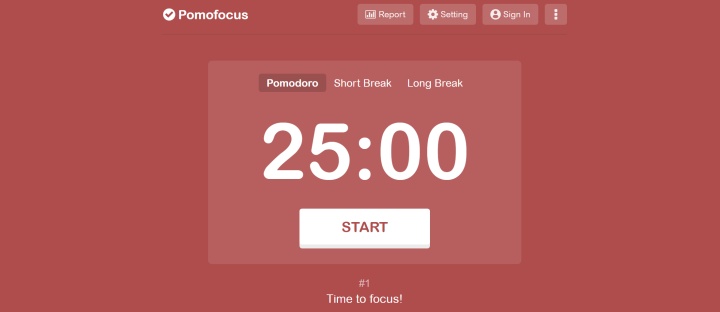
Pomofocus is a popular Pomodoro timer app with extensive customization and personalization options. It's available through a web interface, a mobile app for iOS/Android, and a desktop app for Windows, Linux, and Mac.
Key features:
- To launch the app, simply visit the official site; registration is optional. Its interface is simple and intuitive, offering three timers (pomodoro, short break, and long break), adding or hiding tasks, clearing active pomodoro sessions, using task templates, and more.
- The service automatically calculates and displays the estimated time for completing all tasks scheduled for the day.
- Recurring tasks can be saved as templates (up to 3 in the free version) and added to your to-do list in one click.
- You can generate visual reports with daily, monthly, or annual productivity data. You can also view total project time, a table with top user productivity metrics, and other statistics.
- Pomofocus allows you to customize work/rest cycles, alarms, background sounds, and other settings.
- The premium version allows you to create projects and track productivity for each one in detail, save more than three templates, download reports in CSV format, import tasks from Todoist, and integrate with external systems via webhooks.
The basic version of this focus timer app is available for free with ads. The premium version, without ads and with expanded functionality, costs $3 per month, $18 per year, or $54 for life.
Toggl Track
Source: Toggl Track
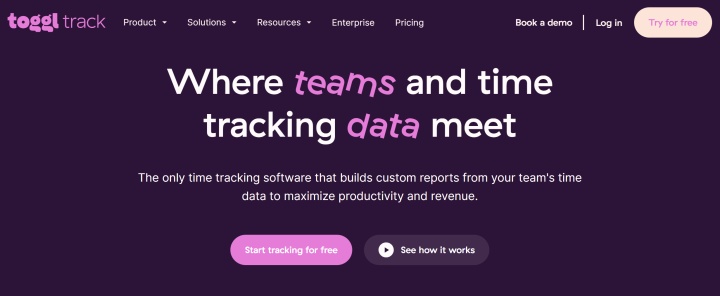
Toggl Track is a popular Pomodoro technique app. Besides this feature, it offers a range of other productivity tools, from automatic time tracking to reports, analytics, and over 100 integrations.
Key features:
- The service's functionality is available through a browser extension (Chrome, Firefox, Edge), a desktop application (Mac, Windows), and a mobile application (iOS, Android).
- The automated time tracker allows you to record the working hours of team members, third-party contractors, or freelancers. Based on this data, the system automatically generates and sends detailed reports and invoices in PDF, CSV, or XLS formats.
- The online work timer records the estimated project completion time and compares it with the activity log of the team and its individual members.
- Toggl Track generates detailed insights into employee productivity, payroll, resource allocation, and other business-critical metrics.
- The platform's basic features are easily enhanced with over 100 built-in integrations. These include popular online calendars, project management services, to-do apps, task management apps, collaboration services, and more.
Toggl Track is considered a free Pomodoro timer with a free plan available. Its pricing plans are as follows:
- Free (up to 5 users, productivity reports, 100+ browser extension integrations, sync with Google & Outlook Calendars, web/desktop/mobile app).
- Starter (all Free features + tasks and projects, project time estimation and alerts, productivity and income analysis, billing features, collaboration tools) — $9/month per user.
- Premium (all Starter features + report scheduling and customization, timesheet approvals, SSO, integration with Jira and Salesforce, profitability analysis, etc.) — $18/month per user.
- Enterprise (all Premium features plus personalized onboarding, a dedicated manager, custom settings, processes and integrations, workspace management, etc.) — price upon request.
Pomodoro Timer
Source: Pomodoro Timer
Pomodoro Timer operates exclusively through a web interface. At the time of writing, only the standard version and a beta version are available for free. The full version with expanded functionality is still in development.
Key features:
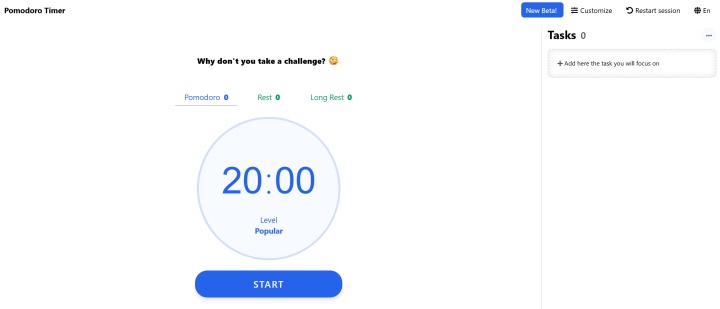
- The platform's interface is simple and intuitive. When you visit the website, you'll see three large timers: Pomodoro, Rest, and Long Rest. Counters displaying the number of completed cycles are displayed next to each name.
- On the right side of the interface is a section with a to-do list. Here you can add work tasks with descriptions, delete completed or current tasks, and hide completed ones.
- At the top of the page is a settings menu that allows you to customize the duration of your concentration and rest cycles. The default intervals are set to 20–5–15 minutes.
- In the settings, users can also select a melody and adjust the volume of the signal that alerts them when the cycle ends, or enable silent mode.
- Another option allows you to enable or disable the automatic start of focus and break cycles. When using the Pomodoro timer online on desktop devices via Chrome and Safari browsers, you can receive pop-up notifications when the cycle is complete.
- The beta version of the app features a refreshed interface and several additional features. Specifically, it includes an expanded backlog with to-do lists, background images, and background music (chosen from the built-in library).
Flocus
Source: Flocus
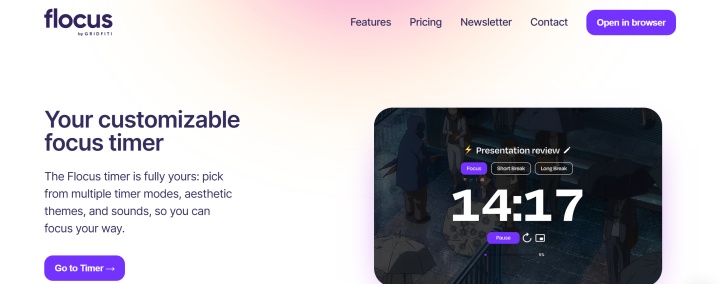
Flocus is a free Pomodoro clock app that helps focus on completing various tasks daily. In addition to the browser version, a widget for the Notion project management platform is also available.
Key features:
- The app allows you to switch between several types of timers: Pomodoro, a regular stopwatch, or a countdown timer.
- It is possible to create and manage to-do lists; tasks can be organized by priority or in any preferred order.
- Flocus provides detailed productivity statistics for a day, week, or month.
- Users can choose from a variety of background themes to help them focus on their tasks faster.
- Another useful option is the daily motivational quotes available in the app.
- There's also a catalog of background music and ambient sounds for improved concentration. Users can even add their favorite tracks themselves.
- Other service features include clear mode, picture-in-picture, personalized greetings, and a number of other productivity-enhancing functions.
Flocus offers 2 pricing plans:
- Free (standard timer, up to 3 tasks, daily statistics, limited number of themes and ambient sounds, preset playlists).
- Flocus Plus (unlimited tasks, daily/weekly/monthly statistics, all themes and ambient sounds available, custom themes and playlists, notepad, clear mode, dashboard customization, progress bar, task duration and ETA, integrations with Spotify, Apple Music, YouTube, SoundCloud, priority support) — $9 per month.
Todoist
Source: Todoist
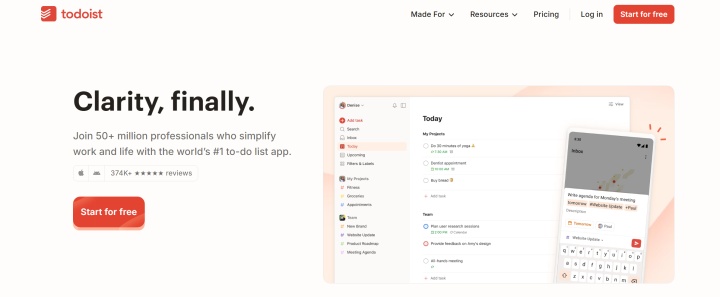
Rounding out our review is Todoist, a popular time management and productivity timer app that implements the Pomodoro Technique. It's one of the largest time management platforms, with over 50 million registered professionals, teams, and companies.
Key features:
- Users can apply the Pomodoro Technique by structuring tasks into timed work sessions and structuring work into multiple Pomodoro cycles. Each cycle is 25 minutes long by default, and the focus-rest intervals can be adjusted.
- When planning your daily workload, you can estimate the approximate duration of each task and mark on your to-do list how many Pomodoro cycles it will take to complete it.
- Tasks added to your to-do list can be easily sorted using drag-and-drop. If necessary, you can quickly change the task's name without opening it. To do this, simply click on the task's name while holding down the Alt/Option key.
- To add recurring tasks to your to-do list, enable the Smart Date recognition feature. To do this, tap your profile picture, select "Settings" > "General," and activate the toggle.
- Users can track their focus/rest time using the timer on their smartphone, any device that has a timer, or similar apps integrated with Todoist (Flowmo, Toggl Track, FocusBox, Llama Life).
Todoist offers three pricing plans:
- Beginner (5 personal projects) — free.
- Pro (300 personal projects) — $5/month per user.
- Business (up to 500 team projects) — $8/month per user.
You can significantly optimize your work with this service by implementing automation. Use our platform to quickly set up integrations for Todoist. Create an efficient technology stack for your workflows with a minimum of routine operations.
Conclusion
After reviewing these productivity apps, you'll be able to choose the best Pomodoro timer for you. It will help you effectively manage your work time and complete everyday tasks productively, avoiding burnout and procrastination.
All the apps mentioned in this review offer a free plan. This allows you to compare their features and choose the best option without any additional costs.
Heads up! Prices and plan details can change. To make sure you’re getting the most accurate deal, always double-check the current rates on the official site before signing up.
Streamline your workflows with ApiX-Drive, a no-code automation platform that requires zero technical expertise. Follow simple step-by-step guides to configure integrations in minutes:
- Facebook and Airtable Integration: Automatic Transfer of New Leads
- TikTok and Google Sheets Integration: Automatic Leads Transfer
- How to Set Up Tally and Mailchimp Integration: Complete Step-by-Step Tutorial
- Webflow and Slack Integration: Setting Up Automatic Notifications
- TikTok and Google Calendar Integration: Automatic Lead Transfer