- First, you need to register in ApiX-Drive
- Next, select the service in the web interface you need to integrate with Webex Interact (currently 336 available connectors)
- Choose what data to transfer from one system to another
- Turn on auto-update
- Now the data will be automatically transferred from one system to another.
Webex Interact API
We already have a connector api with service Webex Interact! You can connect to our system without wasting time on writing code.
5 minutes after registration, you can start using the available functions without involving programmers. Operation principles see below!

+336
available systems

How it works
Our developers have already figured out how the API for the system Webex Interact works and created a new connector. On the same principle, we have created connectors with other online services, we already have more than 200 of them!
Now you do not need to spend time writing program code yourself, you can link 2 or more services through our online interface in a few clicks!
This is how our system works with other systems.
Now you do not need to spend time writing program code yourself, you can link 2 or more services through our online interface in a few clicks!
This is how our system works with other systems.
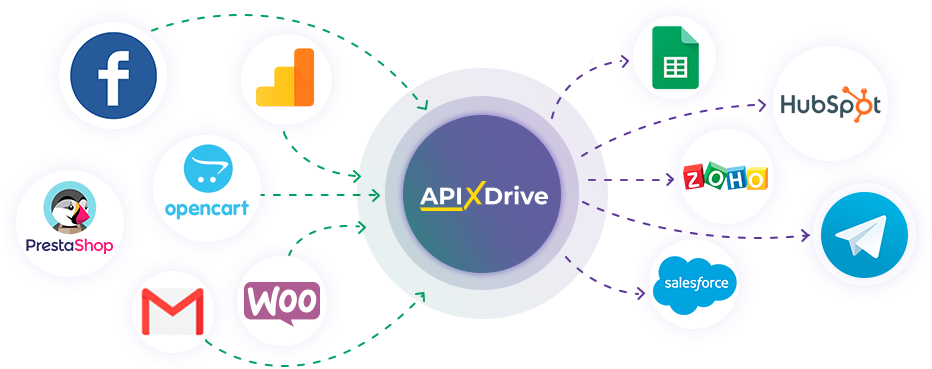
After registration, you will be able to "connect" more than 200 different online services. Without involving programmers and without programming skills! To get started, just register in 1 click!
Without restrictions
Get a 14-day
trial access
trial access
How to integrate Webex Interact and other systems
with ApiX Drive by API
Now you don't need to hire programmers or integrators to automate Webex Interact with other systems.
With ApiX-Drive you can connect and automate these systems in 5 minutes yourself.
With ApiX-Drive you can connect and automate these systems in 5 minutes yourself.
Select the online systems to be linked
Specify the actions between systems
Turn on auto-update
The setup will not take more than 5 minutes.
Automation capabilities Webex Interact
with other systems by API
Configure the rules once, according to which the systems will work.
Exchange data between Webex Interact and other systems according to the specified interval
Exchange data between Webex Interact and other systems according to the specified interval
Data receiver: Webex Interact, available actions:
- Send SMS
F.A.Q. on integration with Webex Interact
How is the integration of Webex Interact carried out?
How long does the integration take?
Depending on the system you want to integrate, the setup time may vary from 5 to 30 minutes. On average, it takes 10-15 minutes.
How much does it cost to integrate Webex Interact with other systems?
You don't need to pay for the integration, as all the functionality is available at all plans. You pay only for the amount of data transferred from one of your systems to another through our service. If you have a small amount of data per month, you can use a free plan and switch to a paid one, if necessary. More information about plans .
How many integrations are available for Webex Interact?
At the moment, we have 336 integrations Webex Interact with other systems
API information for Webex Interact
Webex Interact is a platform for SMS and WhatsApp communication that helps businesses send marketing and transactional messages, manage contacts, use templates and analyze campaign results. The service is suitable for order notifications, appointment reminders, service messages, special offers, confirmations and customer conversations through mobile channels. It can be used by sales, support, marketing and operations teams in daily communication workflows.
The service API allows message sending to be connected with internal systems, CRM platforms, applications, websites and marketing tools. It can be used to send individual and bulk SMS programmatically, work with personalization, schedule messages, retrieve account data, manage contact lists and configure senders for outbound communication. This helps reduce repetitive actions and add mobile notifications to existing business processes.
To work through the API, a separate project is created and the user receives a production token for request authorization. The documentation describes the base URL, REST methods, JSON format, request parameters, SMS testing, webhook events, delivery statuses, incoming messages, attachments and error notifications. Official documentation is available here: https://docs.webexinteract.com/reference/sms-api
The API is also useful for automating repeated scenarios. For example, a message can be sent after a customer registration, order creation, delivery status change, invoice payment, appointment booking or CRM record update. Webhooks help receive events in real time, so teams can react faster to replies, opt-outs, clicks, sending errors and delivery results.
With ApiX-Drive, a user can create integrations for Webex Interact without special skills or technical knowledge.
Are you the owner or developer of a service
that we don’t have?
that we don’t have?
Find out on what conditions we can implement the integration
with your service on this page
with your service on this page