- First, you need to register in ApiX-Drive
- Next, select the service in the web interface you need to integrate with Mistral AI (currently 312 available connectors)
- Choose what data to transfer from one system to another
- Turn on auto-update
- Now the data will be automatically transferred from one system to another.
Mistral AI API
We already have a connector api with service Mistral AI! You can connect to our system without wasting time on writing code.
5 minutes after registration, you can start using the available functions without involving programmers. Operation principles see below!
+312
available systems

How it works
Our developers have already figured out how the API for the system Mistral AI works and created a new connector. On the same principle, we have created connectors with other online services, we already have more than 200 of them!
Now you do not need to spend time writing program code yourself, you can link 2 or more services through our online interface in a few clicks!
This is how our system works with other systems.
Now you do not need to spend time writing program code yourself, you can link 2 or more services through our online interface in a few clicks!
This is how our system works with other systems.
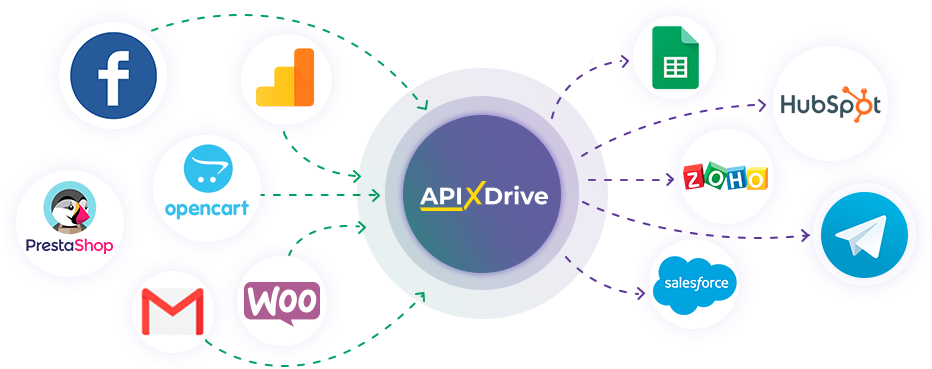
After registration, you will be able to "connect" more than 200 different online services. Without involving programmers and without programming skills! To get started, just register in 1 click!
Without restrictions
Get a 14-day
trial access
trial access
How to integrate Mistral AI and other systems
with ApiX Drive by API
Now you don't need to hire programmers or integrators to automate Mistral AI with other systems.
With ApiX-Drive you can connect and automate these systems in 5 minutes yourself.
With ApiX-Drive you can connect and automate these systems in 5 minutes yourself.
Select the online systems to be linked
Specify the actions between systems
Turn on auto-update
The setup will not take more than 5 minutes.
Automation capabilities Mistral AI
with other systems by API
Configure the rules once, according to which the systems will work.
Exchange data between Mistral AI and other systems according to the specified interval
Exchange data between Mistral AI and other systems according to the specified interval
F.A.Q. on integration with Mistral AI
How is the integration of Mistral AI carried out?
How long does the integration take?
Depending on the system you want to integrate, the setup time may vary from 5 to 30 minutes. On average, it takes 10-15 minutes.
How much does it cost to integrate Mistral AI with other systems?
You don't need to pay for the integration, as all the functionality is available at all plans. You pay only for the amount of data transferred from one of your systems to another through our service. If you have a small amount of data per month, you can use a free plan and switch to a paid one, if necessary. More information about plans .
How many integrations are available for Mistral AI?
At the moment, we have 312 integrations Mistral AI with other systems
API information for Mistral AI
Mistral AI markets LLMs of various types, scales, and performance. Developers can use them to train and fine-tune custom AI models, create AI agents, and develop and deploy AI applications. The company's key product is Mistral AI Studio, a multifunctional platform for AI production. It provides a centralized workspace for AI development, including a built-in LLM library, developer tools, and access to infrastructure management. The Le Chat AI assistant is another of Mistral AI's core products. With it, users and developers can automate a range of operations and processes: generating content, exploring and analyzing data, receiving responses to queries, and creating and deploying AI agents.
Mistral's API interface is designed for integrating the platform's AI models and tools into third-party services and applications. First, you need to register and configure an account on the platform. Next, visit the developer console in the dashboard, generate an API key, and copy it and save it in a safe place. Before making an API call, select the AI model to use in your integration. Another important step is testing Mistral's built-in functions via the API. They are often used for RAG (Retrieval-Augmented Generation), semantic search, recommender systems, and other processes. Detailed technical documentation is available on the platform's website: https://docs.mistral.ai/api
You can create Mistral AI integrations in no-code mode using the ApiX-Drive platform. Various Mistral models are available in the AI TOOLS section. Choose one to suit your needs and optimize your workflow.
Are you the owner or developer of a service
that we don’t have?
that we don’t have?
Find out on what conditions we can implement the integration
with your service on this page
with your service on this page