- First, you need to register in ApiX-Drive
- Next, select the service in the web interface you need to integrate with Box (currently 336 available connectors)
- Choose what data to transfer from one system to another
- Turn on auto-update
- Now the data will be automatically transferred from one system to another.
Box API
We already have a connector api with service Box! You can connect to our system without wasting time on writing code.
5 minutes after registration, you can start using the available functions without involving programmers. Operation principles see below!

+336
available systems

How it works
Our developers have already figured out how the API for the system Box works and created a new connector. On the same principle, we have created connectors with other online services, we already have more than 200 of them!
Now you do not need to spend time writing program code yourself, you can link 2 or more services through our online interface in a few clicks!
This is how our system works with other systems.
Now you do not need to spend time writing program code yourself, you can link 2 or more services through our online interface in a few clicks!
This is how our system works with other systems.
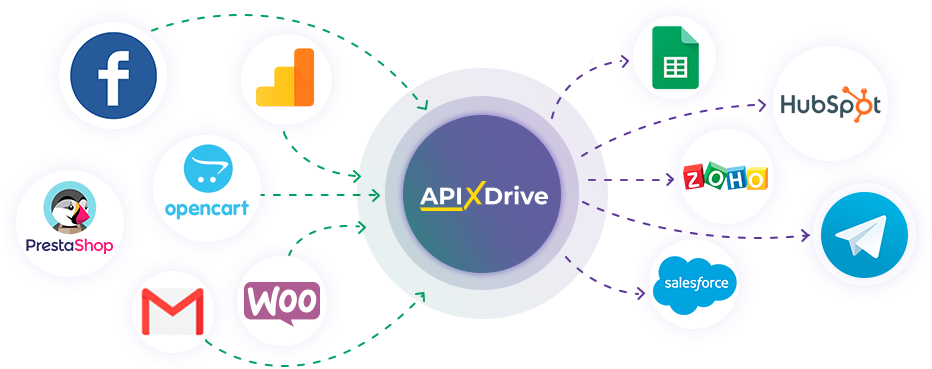
After registration, you will be able to "connect" more than 200 different online services. Without involving programmers and without programming skills! To get started, just register in 1 click!
Without restrictions
Get a 14-day
trial access
trial access
How to integrate Box and other systems
with ApiX Drive by API
Now you don't need to hire programmers or integrators to automate Box with other systems.
With ApiX-Drive you can connect and automate these systems in 5 minutes yourself.
With ApiX-Drive you can connect and automate these systems in 5 minutes yourself.
Select the online systems to be linked
Specify the actions between systems
Turn on auto-update
The setup will not take more than 5 minutes.
Automation capabilities Box
with other systems by API
Configure the rules once, according to which the systems will work.
Exchange data between Box and other systems according to the specified interval
Exchange data between Box and other systems according to the specified interval
Data source: Box, available actions:
- Get FILES (modified)
- Get FILES (new)
Data receiver: Box, available actions:
- Upload FILE
F.A.Q. on integration with Box
How is the integration of Box carried out?
How long does the integration take?
Depending on the system you want to integrate, the setup time may vary from 5 to 30 minutes. On average, it takes 10-15 minutes.
How much does it cost to integrate Box with other systems?
You don't need to pay for the integration, as all the functionality is available at all plans. You pay only for the amount of data transferred from one of your systems to another through our service. If you have a small amount of data per month, you can use a free plan and switch to a paid one, if necessary. More information about plans .
How many integrations are available for Box?
At the moment, we have 336 integrations Box with other systems
API information for Box
Box is an AI platform for content management and collaboration. It allows teams and companies to store documents and other files in a secure cloud space and collaborate effectively. One of the platform's key features is its built-in AI models from OpenAI, Anthropic, and Google, with capabilities for intelligent analysis and document processing.
Box is a centralized cloud storage service. Users can upload any type of file, organize them into folders and workspaces, set access rights, and manage version history. Collaboration and sharing options include real-time file co-editing, commenting and reviewing, shared links with passwords or expiration dates, tasks and annotations within documents, and more.
The Box API allows you to integrate platform tools with third-party services and applications. It can be used to automate both sending files from Box storage to external services and uploading files to cloud storage from a third-party system. The platform API supports a range of authentication methods, which can be selected when activating the integration. Detailed information about the Box API is available in the platform documentation: https://developer.box.com/reference
You can create integrations for the Box platform without coding or learning the intricacies of API technology. Use our ApiX-Drive service to implement automation quickly and easily.
Are you the owner or developer of a service
that we don’t have?
that we don’t have?
Find out on what conditions we can implement the integration
with your service on this page
with your service on this page